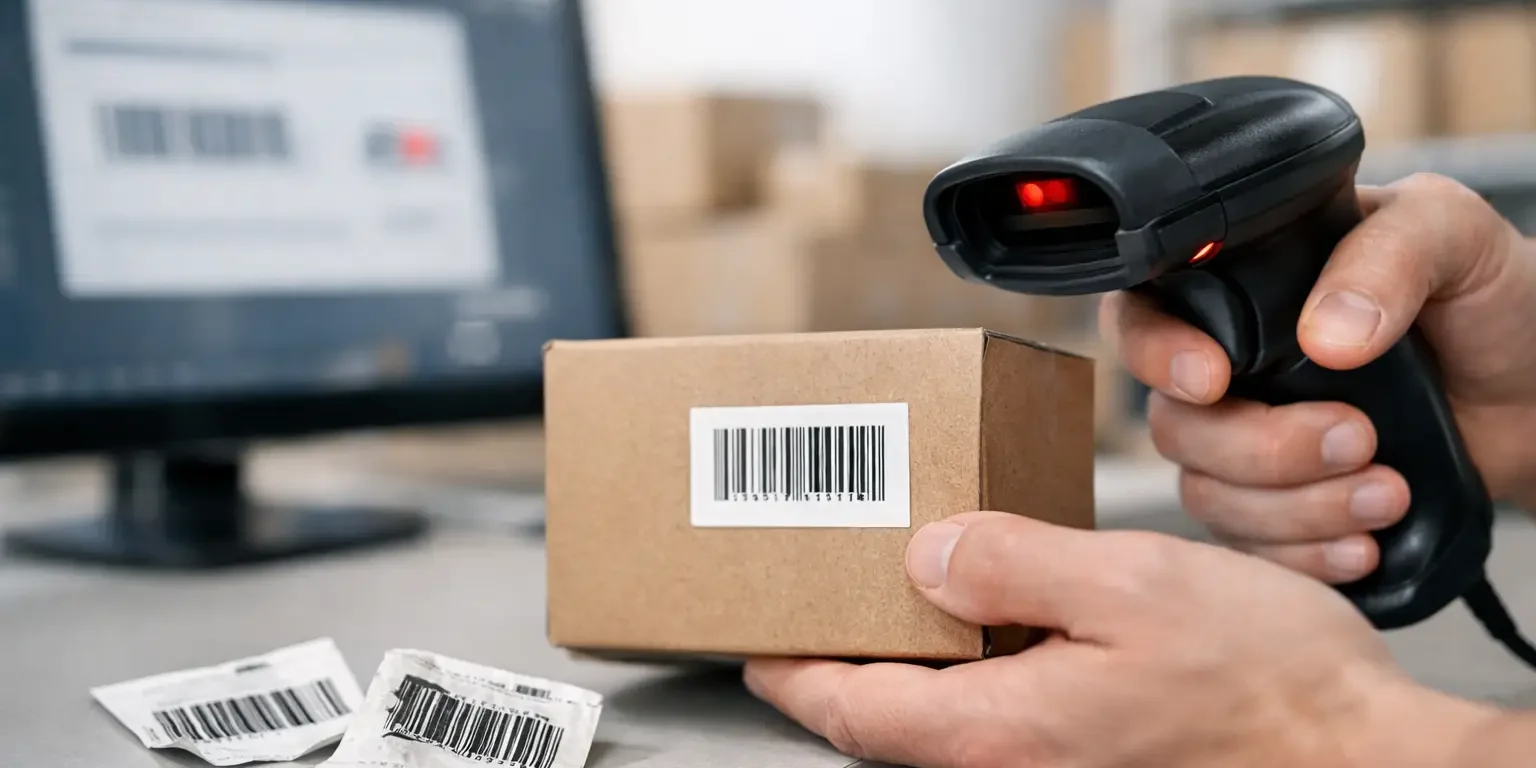
A barcode that will not scan can turn a quick asset check into a manual search through serial numbers, spreadsheets and equipment records. If you are asking why won’t barcode labels scan, the cause is usually not the barcode alone. Print quality, label material, label size, scanner settings and the surface being labelled all affect whether a code can be read first time.
For asset management, a barcode needs to remain readable after handling, cleaning, transport and years of use. The right diagnosis prevents repeat orders with the same fault and helps ensure the next batch is suitable for the job.
Why barcode labels will not scan
1. The code is too small for the scanner or print method
A barcode is made up of bars and spaces of precise widths. When it is reduced too far, those narrow elements become difficult for a scanner to distinguish. This is particularly common when a long serial number or a high-density code is fitted into a small asset label.
The usable size depends on the barcode symbology, the amount of data, the printer resolution and the scanner being used. Code 128 can hold a lot of information in a compact space, but it still needs sufficiently clear bars. A small handheld scanner may read a code that a phone camera or a long-range warehouse scanner struggles with, and vice versa.
Do not specify the smallest label simply because the available space on an item is limited. A slightly larger label, a shorter encoded reference or a more appropriate barcode format can make a substantial difference. The human-readable asset number should also be included where space allows, so staff still have a practical fallback if a label is damaged.
2. There is not enough quiet zone around the barcode
The quiet zone is the blank area before and after a linear barcode. It tells the scanner where the code starts and finishes. Logos, borders, serial number text and coloured design elements placed too close to the bars can interfere with this process.
This is an easy issue to miss in artwork approval because the barcode may look sharp and correctly positioned. It can still fail in use if the blank margins have been reduced to make room for branding or additional information. Leave clear, unprinted space on both sides of the code and avoid placing it directly against the edge of the label.
For small labels, layout matters as much as overall size. A specialist manufacturer can advise on balancing a company logo, asset number, tamper-evident message and scannable barcode without compromising the essential reading area.
3. Poor print definition has blurred the bars and spaces
Barcode printing is not forgiving of spread, gaps or inconsistent ink coverage. Thermal transfer ribbons that are worn or incorrectly matched to the label stock can produce weak edges. Inkjet and low-quality office printing may introduce feathering, while a dirty printhead can leave white lines through dark bars.
A barcode can appear acceptable to the eye yet be outside the tolerances needed for reliable scanning. The risk increases with very small codes, glossy materials and low-resolution printing. Print contrast must remain consistent across the entire symbol, not merely in the centre.
For labels used on valuable IT equipment, tools or furniture, professionally produced barcode labels provide greater control over print quality and consistency. It is sensible to test a proof or small batch with the scanners your team uses before committing to a larger roll-out.
4. The colours do not provide enough contrast
Most barcode scanners need a strong contrast between the dark bars and the light background. Black bars on a white or pale matte background remain the dependable choice. Decorative colours may suit the rest of a label, but they can cause unexpected problems in the barcode area.
Red scanners, for example, may not see red ink as dark. Metallic finishes, reflective silver backgrounds and some dark-coloured substrates can also reduce the contrast a scanner detects. The result may be intermittent reads: the code works under one light source or at one angle but fails on site.
If a security or asset label needs a hologram, coloured branding or a metallic finish, keep the barcode on a dedicated pale panel. This gives the design its required security features while protecting scan performance.
5. Glare, laminate or the item surface is affecting the read
A glossy overlaminate can protect a label from abrasion and cleaning, but it may reflect the scanner beam. The same applies to labels applied to polished metal, curved cases or surfaces with pronounced texture. At certain angles, reflected light prevents the scanner from capturing a clear image of the bars.
This does not mean gloss or laminate is always unsuitable. It depends on the scanning equipment, the viewing angle and the environment. A durable matt laminate is often a practical option where labels will be scanned frequently under office, workshop or warehouse lighting.
Before choosing a material, consider where the item will sit and how it will be scanned. A label on the underside of a laptop, for example, has different requirements from one on a wall-mounted appliance, a school Chromebook or a tool case exposed to oil and dirt.
6. The label is damaged, worn or lifting away
Asset labels are regularly rubbed, wiped, knocked and exposed to heat. If the adhesive is not suited to the surface, corners can lift and create wrinkles across the barcode. Abrasion may remove parts of the printed image, while cleaning chemicals can dull the surface or attack unprotected print.
A damaged barcode does not always fail immediately. Error-correcting two-dimensional codes can tolerate some damage, but conventional linear barcodes have much less room for error. Once a bar is broken or a space is filled in, the scanner may read the wrong data or refuse the code entirely.
Match the construction to the equipment and its working conditions. Permanent polyester labels are often selected for durable indoor asset identification. Tamper-evident materials can provide clear evidence when removal is attempted, but they should be chosen with the knowledge that deliberate removal may render the barcode unreadable, which is the intended security outcome.
7. The scanner is not configured for the barcode type
Not every scanner reads every symbology by default. A device may be set to accept EAN or Code 39 but not Code 128, Data Matrix or QR codes. Older laser scanners may not read two-dimensional codes at all, whereas an imaging scanner usually can.
The barcode may therefore be technically correct but incompatible with the hardware in use. This is especially relevant when an organisation changes its asset management software, introduces mobile scanning or buys replacement scanners without reviewing the existing label format.
Check the scanner manual or configuration settings and confirm the symbologies enabled. Test the code on more than one device if possible. If it reads on a phone but not on the company scanner, the issue is likely configuration or hardware capability rather than the printed label.
8. The code scans, but the system rejects the data
Sometimes the scanner beeps, yet the asset record does not appear. That is not a barcode reading failure. The scanner may be adding a suffix, transmitting the wrong keyboard language setting, or sending data into the wrong field. The encoded number may also differ from the number held in the asset register.
Check what data is actually returned by scanning into a simple text field. Compare it character by character with the intended value. Leading zeroes, hyphens, spaces and check digits can all cause a mismatch if the software expects a different format.
A practical way to diagnose a barcode problem
When a label will not scan, test methodically rather than changing several things at once:
- Try a second scanner, ideally one known to read the barcode type.
- Scan the label under different lighting and angles to identify glare.
- Compare it with a newly printed label from the same design.
- Check whether the barcode returns the expected characters in a text field.
- Inspect the label for wear, lifted edges, scratches and blurred print.
If a new label fails on every device, review the artwork, barcode format and print specification. If only older labels fail, the material or protection level is more likely to be the issue. If only one scanner fails, start with its settings and capability.
Specifying barcode labels that stay readable
The most reliable barcode label is one designed around its operational use, not just its appearance. Provide the barcode type, the data to be encoded, label dimensions, application surface and expected environment at the quotation stage. Also state whether the labels will be scanned with handheld units, fixed readers or mobile devices.
For organisations managing mixed assets, it may be worth using different constructions for different groups of equipment. Office furniture may need a cost-effective permanent label, while laptops, tablets, tools and external equipment may justify a tougher laminate or tamper-evident material. The barcode format can remain consistent across the asset register while the label construction changes to suit the risk.
Security-Label.co.uk produces barcode and security labels in the UK with bespoke sizing, numbering and layouts, helping buyers choose a practical balance of durability, scan performance and cost. A small test batch can be a sensible safeguard where the item surface or scanning process is unusual.
A barcode label should not merely scan when it leaves the printer. It should scan when an auditor is checking equipment two years later, a technician is working in poor light, or a member of staff needs to identify an item quickly. Specify for that real-world moment, and the label will do its job when it matters.