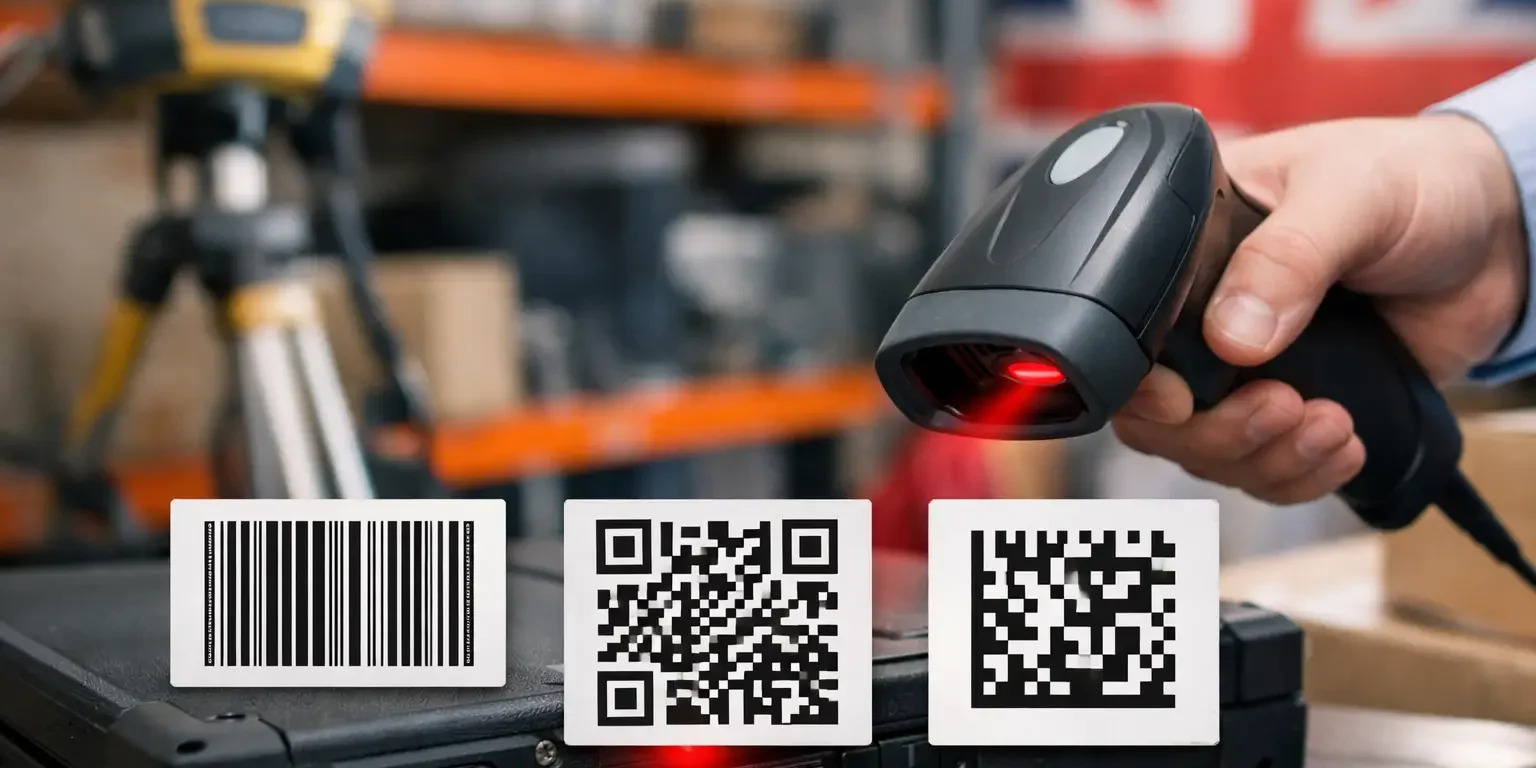
A missing laptop, a projector moved between rooms or a power tool returned without a record can quickly turn an asset register into guesswork. When asking which barcode suits asset tracking, the right answer is not simply the barcode with the most data. It is the format that works with your existing software and scanners, fits the available label space, and remains readable throughout the asset’s working life.
For most UK organisations, Code 128 is the practical starting point. However, QR codes, Data Matrix codes and Code 39 each have a clear place. The barcode should be selected alongside the label material, adhesive and any security feature, rather than as an afterthought.
Start with the system, not the barcode
A barcode is a machine-readable version of an asset identifier. It does not track an item by itself. Your asset management software, spreadsheet or inventory system records what happens when a user scans that identifier: where the item is, who has it, when it was checked, or whether it has been disposed of.
Before choosing a barcode, confirm what your current scanners and software can read. A format that is technically capable of holding more information is of little use if it cannot be scanned by the handheld devices used by your IT team, caretakers or stock controllers.
In most cases, the barcode only needs to contain a unique asset number, such as IT-004582. The wider asset record – make, model, purchase date, assigned user, warranty details and location – sits in the database. Keeping the barcode data short makes labels easier to scan and allows a larger, clearer print size.
Which barcode suits asset tracking for most organisations?
Code 128: the best all-round choice
Code 128 is usually the best barcode for internal asset tracking. It supports letters, numbers and common symbols, so it can accommodate meaningful prefixes such as IT, AV, FAC or LAB alongside a serial number. It is compact for a one-dimensional barcode and is widely supported by standard barcode scanners and asset management platforms.
A Code 128 label is well suited to laptops, monitors, printers, furniture, tools, medical equipment, laboratory devices and general facilities assets. It works particularly well where staff use conventional laser or imaging scanners and the label has reasonable width available.
For a straightforward numbered register, Code 128 offers the right balance of compatibility, label size and scan reliability. If you are commissioning bespoke barcode labels for the first time, it is normally the format to specify unless your system states otherwise.
Code 39: useful for legacy systems
Code 39 remains common in established asset registers, particularly where older scanners, software or internal processes were built around it. It supports capital letters, numbers and a limited set of characters. This makes it simple and dependable, but less space-efficient than Code 128.
The same asset number will generally require a wider Code 39 barcode. On large equipment, cabinets, desks and plant, that may not matter. On compact IT equipment or handheld devices, the additional width can be a drawback.
Choose Code 39 when your existing system requires it or when you need consistency with a large installed base of labels. For a new implementation, Code 128 is often the more flexible option.
QR codes: best when people scan with phones
A QR code is a two-dimensional barcode that can be scanned by smartphones as well as most modern imaging scanners. It can hold substantially more data than a linear barcode in a small area. This is useful when an asset needs an identifier plus a web address, service instructions, a location reference or a short contact message.
For example, a QR code on shared audiovisual equipment could direct staff to a check-out form or fault-reporting page. On school equipment, it can help authorised users identify an item quickly with a managed mobile device. QR codes are also helpful where visitors or contractors need access to limited, non-sensitive information without being issued a dedicated scanner.
There is a trade-off. If the QR code contains a changing web address or operational detail, it may become outdated even though the physical asset is still in service. For core asset identification, it is generally better to encode a stable asset number and keep changing records in your system.
Data Matrix: best for very small labels
Data Matrix is another two-dimensional format, designed to hold data in a very small footprint. It is an excellent option for compact assets where a standard linear barcode would be too wide, such as network devices, small instruments, components, chargers, adapters and specialist tools.
Its square or rectangular shape can fit spaces that a long Code 128 barcode cannot. It also retains a degree of error correction, which can help where a small part of the code suffers minor damage. That does not remove the need for a durable label, but it can be valuable in demanding environments.
Data Matrix requires an imaging scanner or suitable mobile device. Older laser scanners may not read it, so compatibility must be checked before ordering.
Match the label size to scanning conditions
A barcode that is printed too small can be difficult to scan, even if the symbology itself is correct. Linear barcodes need enough width for the number of characters being encoded, plus clear space on either side. QR and Data Matrix codes need sufficiently large modules – the individual squares – for the intended scanner to resolve them.
Distance matters too. A barcode scanned from arm’s length can usually be smaller than one scanned from across a storeroom or while equipment remains mounted in a rack. If users will scan with mobile phones, test the proposed size on the phones actually used at work, not just on a high-specification personal handset.
Human-readable text should sit alongside the barcode. A visible asset number gives staff a fallback when a label is scratched, a scanner battery is flat or a record needs to be checked manually. Adding your organisation name and a short ownership message also discourages casual removal or unauthorised resale.
Durability is part of barcode performance
The right code can still fail if the label fades, lifts at the corners or is applied to an unsuitable surface. Asset labels face cleaning products, heat, abrasion, handling and frequent movement. A paper label may be adequate for short-term stock control, but it is rarely the right choice for a five-year laptop deployment or facilities register.
Polyester asset labels are a dependable choice for many indoor applications. They provide a professional finish, resist normal wear and can be supplied with strong permanent adhesive. For assets exposed to heavy handling, harsh cleaning regimes, oil, moisture or outdoor conditions, the material and adhesive should be selected for the environment rather than chosen on price alone.
Surface type matters. Textured plastic, powder-coated metal, rubberised casings and curved equipment all affect adhesion. A small sample test on the actual asset is worthwhile when ordering a large run.
When tamper evidence should influence the choice
For high-value or theft-prone equipment, a barcode label can also be a security measure. Tamper-evident labels leave a visible mark, such as a VOID pattern or fragmented material, when someone attempts to remove them. This makes asset swapping and label transfer more obvious during inspections.
The barcode itself should remain easy to scan until the label is disturbed. A sensible layout keeps the code clear, with serial numbers and ownership wording positioned around it. Where security is a priority, combine a unique barcode number with a matching visible serial number and a label construction that cannot be removed intact.
Security-Label.co.uk produces bespoke asset and tamper-evident labels in the UK, allowing organisations to match barcode format, size, material and security features to the equipment being marked.
A practical specification for a new asset register
For a typical office, school, charity or small-to-medium business, a practical specification is a polyester asset label with a Code 128 barcode, a unique sequential asset number and clear human-readable text. Add your organisation name and, where appropriate, a tamper-evident construction for laptops, audiovisual equipment, tools and portable devices.
Use a QR code when phone scanning or access to a related digital process is genuinely useful. Use Data Matrix where label space is tight. Retain Code 39 where legacy scanners or software require it. Avoid putting more information into the barcode than your process needs, because clarity and consistent scanning are more valuable than maximum data capacity.
A well-chosen barcode label should make the next audit quicker, make ownership clearer and make missing equipment easier to account for. Start with the scanner and system you already use, then specify a label built to survive the conditions your assets actually face.