
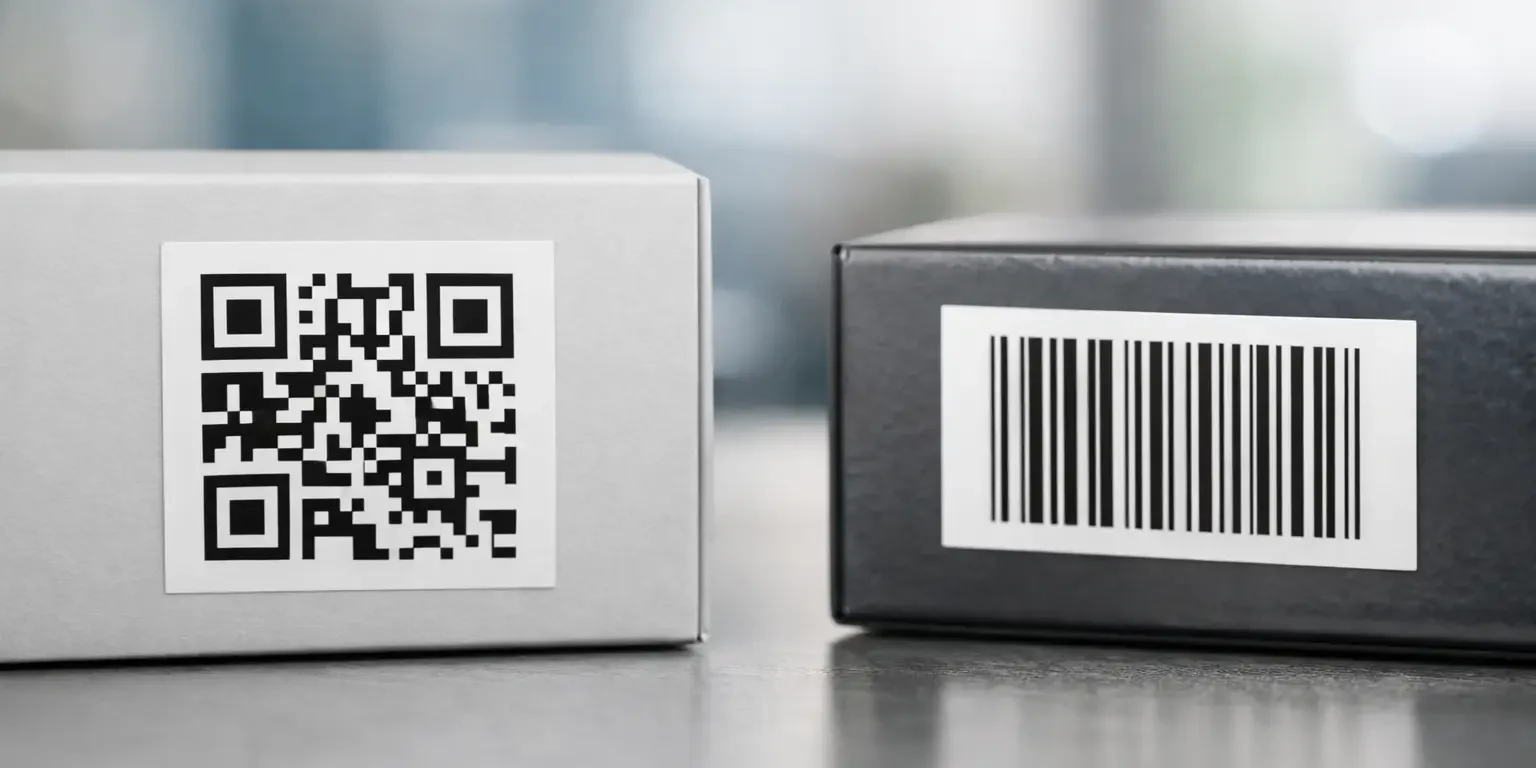
A missing laptop, unreturned power tool or unverified medical device creates the same immediate problem: someone needs to identify it quickly and accurately. The QR versus barcode decision affects how easily staff can scan an item, what information they can retrieve and how well the label fits your existing asset-management process.
For many UK organisations, the right answer is not simply the newest-looking code. It is the format that works reliably with the scanners, software, environment and staff procedures already in place. A well-printed barcode on a durable asset label can be more useful than a QR code with no clear process behind it. Equally, a QR code can make sense where a mobile phone needs to retrieve more information than a traditional scanner can display.
QR versus barcode: the practical difference
A standard barcode is a one-dimensional code made from parallel lines and spaces. Its data is read across the width of the code, normally by a laser scanner, image scanner or suitable mobile device. Barcodes are widely used for stock control, equipment registers, warehouse locations and fixed-asset identification because they are simple, fast and compatible with many established systems.
A QR code is a two-dimensional matrix code made from small black and white squares. It can hold substantially more data in a smaller area and can be scanned from different angles by most modern smartphones. Rather than merely identifying an asset number, it can direct the user to an equipment record, operating instructions, service history or reporting form.
Both formats can identify the same asset. The difference is in capacity and how the information is accessed. A barcode will usually encode a short reference, such as an asset number or serial number, which your system then matches to a record. A QR code can do that too, but also has room for longer text or a web address.
When a barcode is the better choice
For organisations with dedicated barcode scanners and established inventory software, a conventional barcode is often the most economical and dependable choice. Scan a label, and the system records an issue, return, stock movement or audit check. There is little training required because the workflow is familiar.
Barcodes are particularly suitable where speed and consistency matter more than displaying detailed information. A facilities team conducting a large asset audit may need to scan hundreds of chairs, monitors, radios or tools in a day. A clear Code 128 barcode, paired with a human-readable serial number, gives them a fast, controlled process.
The main limitation is data capacity. Most linear barcodes are designed to carry a relatively short identifier, not extensive asset information. That is not necessarily a disadvantage. Keeping the code simple reduces the chance of errors and ensures the central asset register remains the single source of truth.
Barcode labels also tend to be easier to accommodate on narrow assets. Small IT peripherals, hand tools, cables and laboratory equipment may have limited flat surface area. A correctly sized barcode can be an efficient use of space, provided there is adequate quiet zone around it and the scanner can read it at the required distance.
Where QR codes add value
QR codes are useful when the person scanning an asset needs more than an ID number. A QR label on a piece of plant equipment might open a maintenance checklist. On a school laptop, it could direct authorised staff to an asset-return form. On a leased item, it may lead to care instructions and a contact route for faults.
Because most staff already carry a smartphone, QR codes can reduce the need to issue dedicated scanners for certain tasks. This suits organisations with dispersed sites, visiting contractors or staff who occasionally need to identify equipment without accessing the main inventory terminal.
A QR code can also support quicker self-service. For example, users can scan a label to report a fault, confirm an asset location or view safe-use information. That only works if the destination is kept current and access is appropriately controlled. If a QR code points to an outdated page or an unrestricted record containing confidential data, it creates a new problem rather than solving one.
There is a trade-off in physical size. Although QR codes carry more information, cramming too much data into a small printed code creates a dense pattern that is harder to scan, especially on a curved surface or in poor light. In many cases, encoding a short unique ID or controlled web address is preferable to placing full asset details inside the code.
Choose the code around your working process
The first question is not which code looks more modern. It is who will scan it, using what device, and what needs to happen afterwards.
If a warehouse, stores team or IT department already uses handheld scanners connected to an asset database, barcodes are normally the straightforward option. They are reliable, inexpensive and supported by most inventory platforms. The label can include a company logo, asset description and sequential serial number alongside the code, making visual checks easier.
If users need to access instructions, submit a request or retrieve a record via a mobile phone, a QR code may provide a better experience. This is common for facilities, equipment hire, maintenance schedules and shared equipment. It can also be effective where the code needs to work outside the organisation’s own scanning application.
Some organisations use both. A barcode supports formal scanning through the asset-management system, while a QR code gives staff a practical mobile route to instructions or fault reporting. This can be worthwhile on higher-value equipment, but only where the extra information has a clear purpose. Adding codes simply because space is available can make labels cluttered and harder to use.
Consider your existing software
Before ordering labels, confirm the symbology your software and scanners accept. Code 128 is a common, versatile barcode format for asset numbers and alphanumeric identifiers. Other systems may require Code 39, EAN, Data Matrix or a specific structure for serialised labels.
For QR codes, test the full journey. Scan the proposed code using the devices your staff will actually use, on site and under normal lighting. Check whether users must sign in, whether the page is mobile-friendly and whether the information is suitable for every person who might scan it. A code on a public-facing asset should not expose internal locations, user details or security procedures.
Print quality and material matter as much as the code
A perfectly chosen QR code or barcode is of little use if the label fades, lifts at the corners or becomes unreadable after cleaning. Asset labels should be selected for the surface and environment, not only for the data they carry.
For office equipment and indoor inventory, durable polyester labels are a common option. For demanding environments, the label may need stronger adhesive, abrasion resistance, chemical resistance or a protective laminate. Curved equipment, textured plastics, painted metal and outdoor machinery all require careful consideration of material and adhesive.
Print contrast is also essential. Codes need a sharp, high-contrast pattern, with enough clear space around the edges for reliable scanning. Dark printing on a light background is generally the safest approach. Metallic, holographic or heavily patterned finishes can be useful for visible security features, but the scan area itself should remain clear and machine-readable.
Where theft deterrence or unauthorised removal is a concern, a tamper-evident construction can be combined with serial numbering and a barcode or QR code. A destructible label, void label or residue-transfer seal makes removal more apparent. However, a code alone does not prevent substitution. The strongest approach ties the printed serial number, asset register and security-label feature together, so discrepancies are easier to spot during an audit.
Do not treat QR codes as a security feature by themselves
A QR code is an information carrier, not proof of authenticity. Anyone can photograph or copy a code if there are no additional controls. The same is true of a barcode. For high-value assets or products at risk of diversion, use unique serial numbers and consider tamper evidence, bespoke layouts or holographic features that are harder to replicate casually.
It is also sensible to set a clear rule for QR scanning. Staff should know which company domains or systems are legitimate and should avoid scanning unknown codes placed over existing labels. Routine inspection matters: if a label has been removed, covered or damaged, the asset record should be checked rather than simply replacing the label without investigation.
A practical specification for asset labels
A useful asset label usually combines machine-readable and human-readable information. The human-readable asset number is valuable when a scanner is unavailable or a damaged code cannot be read. A company name or logo helps identify ownership, while a sequential serial number supports audits and discourages casual removal.
For a standard internal asset register, a barcode with a visible asset number is often sufficient. For shared equipment with support instructions or mobile reporting, add a QR code with a controlled destination. For valuable, mobile or theft-prone assets, consider a tamper-evident label with unique serialisation and a code that matches your register.
Security-Label.co.uk produces bespoke barcode, QR and tamper-evident labels in the UK, so labels can be specified around the equipment, scanning method and security requirement rather than forced into a generic format.
The best label is the one your team can scan first time, understand immediately and trust to remain in place. Start with the real task at the point of use, then choose the code, material and security features that make that task easier to control.