
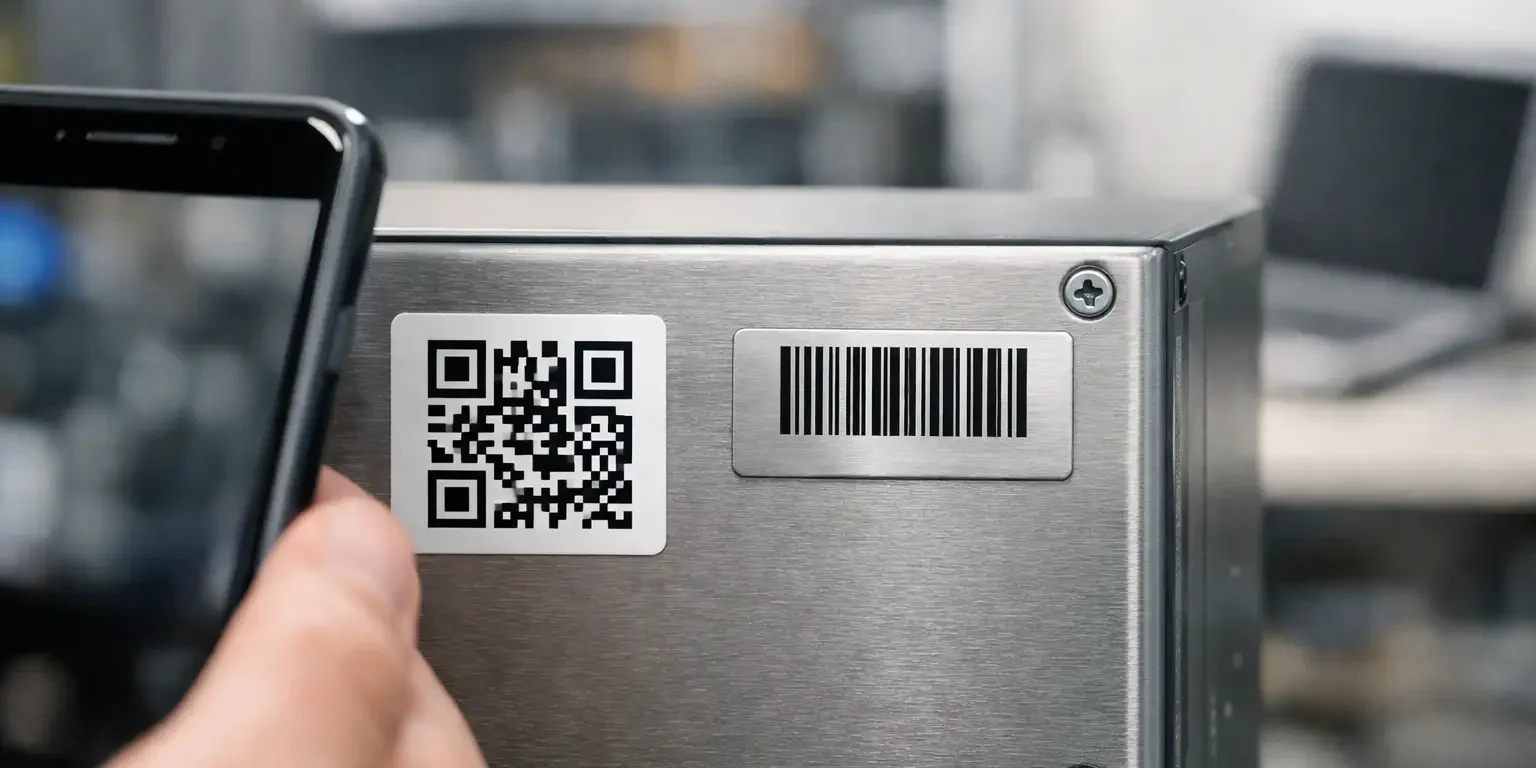
A missing laptop is often not a technology problem. It is an identification problem. If the equipment carries only a handwritten code, staff may not know where to look it up. If it has a QR code that opens an out-of-date spreadsheet, scanning it does not help much either. The practical question behind QR codes vs serial numbers is how your organisation will identify an item quickly, accurately and securely when it matters.
For most asset-management applications, QR codes and serial numbers are not competing alternatives. A serial number identifies a specific physical item. A QR code is a way of storing and presenting information so a phone or scanner can read it. The strongest asset labels commonly use both.
QR codes vs serial numbers: the key difference
A serial number is a unique reference assigned to an individual asset. It may be generated from your asset register, follow a departmental numbering sequence, or match an existing internal identifier. For example, `IT-2026-01482` can identify one particular laptop, projector or piece of test equipment.
The number can be printed as readable text, allowing a person to type it into an asset-management system, report it to IT, or quote it during an audit. This matters when a camera cannot focus, a mobile signal is unavailable, or the label has suffered surface wear over time.
A QR code is a two-dimensional barcode. It can hold the serial number alone, but it can also contain a longer asset record, a location reference, instructions, contact details or a link to a controlled record in your system. A smartphone camera can usually read it without dedicated scanning hardware.
That distinction affects the buying decision. A serial number is the identity. A QR code is the machine-readable method of retrieving or transferring that identity and, where appropriate, related information.
What a QR code does well
QR codes are useful where people need fast access to asset information without opening a laptop or manually entering a long code. A facilities team might scan a QR label on a fire door, portable appliance or cleaning machine during inspections. An IT technician may scan a device to confirm its assigned user, warranty status or support history.
They can also reduce input errors. Typing eight or ten characters incorrectly creates duplicate records and wasted investigation time. A properly generated QR code passes the intended data directly into the app, form or lookup process.
QR codes are particularly practical for mixed teams. Employees, contractors and visitors are more likely to have a phone available than a dedicated barcode scanner. However, this convenience depends on the destination being reliable. If a code sends staff to a generic web page, a broken link or a record they cannot access, it becomes little more than a black-and-white square.
What serial numbers do well
Serial numbers remain the foundation of accountable asset control. They are simple, visible and independent of a particular app, device or website. A clear human-readable number supports stock checks, insurance schedules, police reports, handover forms and audit trails.
They are also easier to verify at a glance. A manager collecting ten tablets can compare the number on each label against a list without relying on a camera, log-in or network connection. For controlled environments, this directness is valuable.
The limitation is speed at scale. Manual recording is slower, and it introduces opportunities for transcription errors. For this reason, serial numbers work best when printed alongside a scannable code rather than used in isolation on high-volume or frequently moved equipment.
When should you use both on one label?
For most UK organisations, combining a visible serial number with a QR code is the sensible default. The QR code gives staff a quick scan route, while the printed identifier provides a dependable fallback and a clear visual reference.
A well-planned label might include your company name or logo, a short theft-deterrent message, the serial number in readable text and a QR code encoding that same reference. The code can point to an internal asset URL if your software supports it, but the underlying serial number should still be recoverable if systems change.
This approach is especially useful for schools, local authorities, offices and multi-site businesses. Equipment moves between rooms, buildings and users, and the person checking it may not be the person who originally registered it. A label that communicates the asset identity in more than one way makes the process less dependent on individual knowledge.
There are occasions where a serial number alone is enough. Low-value items with simple stock control needs may only require a short, sequential identifier. Conversely, a QR-only approach may suit a public-facing information point where staff do not need to read an asset reference. For valuable operational assets, however, omitting the readable number usually creates an unnecessary weakness.
Security is more than the code you print
Neither a QR code nor a serial number makes an item secure by itself. Both can be copied if they are printed on an ordinary label, and a copied code may lead to confusion unless your system checks the asset status and location.
Security comes from combining identification with the right label construction and procedures. For items at risk of removal or substitution, a tamper-evident asset label can leave a visible pattern, such as VOID text, when someone attempts to peel it away. This makes label transfer more difficult and gives staff a clear indication that an asset should be checked.
A unique serial number is also important for detecting duplicates. If two items appear with the same number, that is a prompt to investigate rather than proof of ownership. Keep the master register controlled, record the make, model and location where appropriate, and ensure changes are authorised.
Do not place sensitive information directly in a QR code. Details such as user names, network credentials, security procedures or confidential locations should not be readable by anyone who scans a label. Use the code to pass a non-sensitive asset ID or a controlled link instead. Access to the full record should remain behind your normal permissions.
Choose the right label material before choosing the code
The best data format can still fail if the label falls off, fades or cannot be scanned. Material selection should reflect the asset surface, environment and expected service life.
For indoor IT equipment and office furniture, durable polyester labels are a common choice. They offer a professional finish, good print quality and reliable adhesion when applied to clean, dry surfaces. For harsher environments, such as workshops, plant rooms or outdoor equipment, consider materials and laminates designed to withstand abrasion, moisture, cleaning products and temperature variation.
The code needs sufficient contrast and a suitable print size. A QR code that is too small, distorted by a curved surface or placed over a textured background may be difficult to scan. Equally, very long URLs create denser codes that need more space. Encoding a short asset identifier is often more reliable than embedding a lengthy web address.
Position matters too. Apply labels where they can be found and scanned without dismantling the item, but avoid high-wear edges, ventilation slots, hinges and areas likely to receive frequent handling. Consistency helps auditors: if every laptop label sits in the same general position, checks take less time.
A practical setup for asset tracking
Start with the record, not the artwork. Decide which identifier is the authoritative one in your asset register and make it unique. Avoid reusing numbers from retired or disposed items, even if this seems convenient. Historical records need to remain traceable.
Next, decide what the QR code should contain. In a simple setup, it can encode the exact serial number. Staff scan it and search the number in the system. In a more integrated setup, it can open the relevant asset record or inspection form. Test this process with the people who will actually use it, including teams on site with ordinary phones and limited connectivity.
Then specify the label information. Keep the readable serial number large enough to transcribe, use a clear font, and avoid cramming unnecessary instructions around the code. If theft deterrence is a priority, include wording that makes it clear the equipment is marked and recorded.
Finally, order enough labels for replacements and new purchases. Labels are often required during roll-outs, repairs and reassignments, not just the initial asset audit. A specialist manufacturer such as Security-Label.co.uk can advise on bespoke layouts, sequential numbering, QR generation and tamper-evident materials so the finished label fits the job rather than forcing your process around a standard sticker.
The right label should make the next check easier: a technician can scan it, an auditor can read it, and anyone attempting to remove it leaves evidence worth investigating.