
A missing laptop, unreturned projector or unrecorded power tool is rarely just an inconvenience. It creates replacement costs, wasted staff time, audit gaps and, in some cases, a data-security issue. This guide to equipment identification systems explains how to put a reliable, practical process around the equipment your organisation owns, from the label on the item to the record behind it.
An effective system does not need to be complicated or expensive. It does need to be consistent. Every asset should have a unique identity, a durable way to display it and a register that staff can update without creating more work than the system saves.
What an equipment identification system should do
Equipment identification is the process of assigning a unique reference to physical assets and marking them so they can be recognised, checked, issued, maintained and recovered. The label is the visible part of the system, but it only works properly when it connects to accurate asset information.
For a school, that may mean identifying IT equipment, musical instruments, laboratory equipment and sports kit. For a facilities team, it may cover plant, tools, furniture, safety equipment and electrical appliances. An IT department may focus on laptops, monitors, tablets, network hardware and mobile devices.
A good system should allow your team to answer four straightforward questions: what is this item, who is responsible for it, where should it be and what is its condition or status? If it cannot do that quickly, the process needs simplifying.
The main benefits are better accountability, faster stock checks, stronger theft deterrence and cleaner records for insurance, maintenance, finance and audit purposes. Identification labels also reduce the risk of equipment being confused with contractor-owned, hired or personally owned items.
Start with a sensible asset ID structure
Before ordering labels, decide how assets will be numbered. A unique identifier is more useful than a description such as “Dell laptop” because descriptions change, repeat and can be entered inconsistently.
For many organisations, a sequential number is the most dependable option: 000001, 000002, 000003 and so on. It is simple to generate, easy to scan and avoids embedding information that may change. You can keep department, site, cost centre, owner and purchase details in the asset register instead.
Some organisations prefer a structured reference, such as IT-GLA-00482 for an IT asset based in Glasgow. This can be useful where sites or asset classes need to be recognised at a glance. The trade-off is that codes become longer and can create problems when equipment moves between departments or locations.
Whichever approach you choose, do not reuse retired numbers. A disposed item should remain in the register with its final status recorded. Reusing its identity later can make old maintenance records, insurance claims and audit trails unreliable.
Keep the label data focused
The equipment label does not need to carry every detail from your register. In most cases, include the asset number, company or organisation name, and either a barcode or QR code. A short instruction such as “Property of” or “Return to [organisation]” can reinforce ownership.
A telephone number or email address may help recover misplaced equipment, particularly for portable items. Avoid displaying sensitive details, internal network information or named employee data on labels that can be viewed by anyone.
Choose the right identification method
The right system depends on the number of assets, how mobile they are, the environment they operate in and the software already used by your organisation. Paper records may be adequate for a small number of low-value items kept in one place. Once equipment moves between people, rooms or sites, scanning usually saves time and improves accuracy.
Human-readable serial numbers
A clear printed number is essential even if you use barcode scanning. Labels can be checked manually when a scanner is unavailable, when a barcode is damaged or when an auditor needs to confirm an item visually. Use a legible font, sufficient contrast and a number size that suits the available label area.
Barcodes for fast asset checks
A barcode converts the asset reference into a format that a scanner or mobile device can read. For internal fixed-asset identification, Code 128 is a common choice because it can encode letters and numbers in a compact space. Code 39 is also widely used, especially where older scanners or existing systems require it.
The important point is compatibility. Confirm what barcode symbology your asset-management software and scanning equipment supports before labels are printed. A perfectly printed barcode is of little use if the scanner is set up for a different format.
QR codes for mobile access
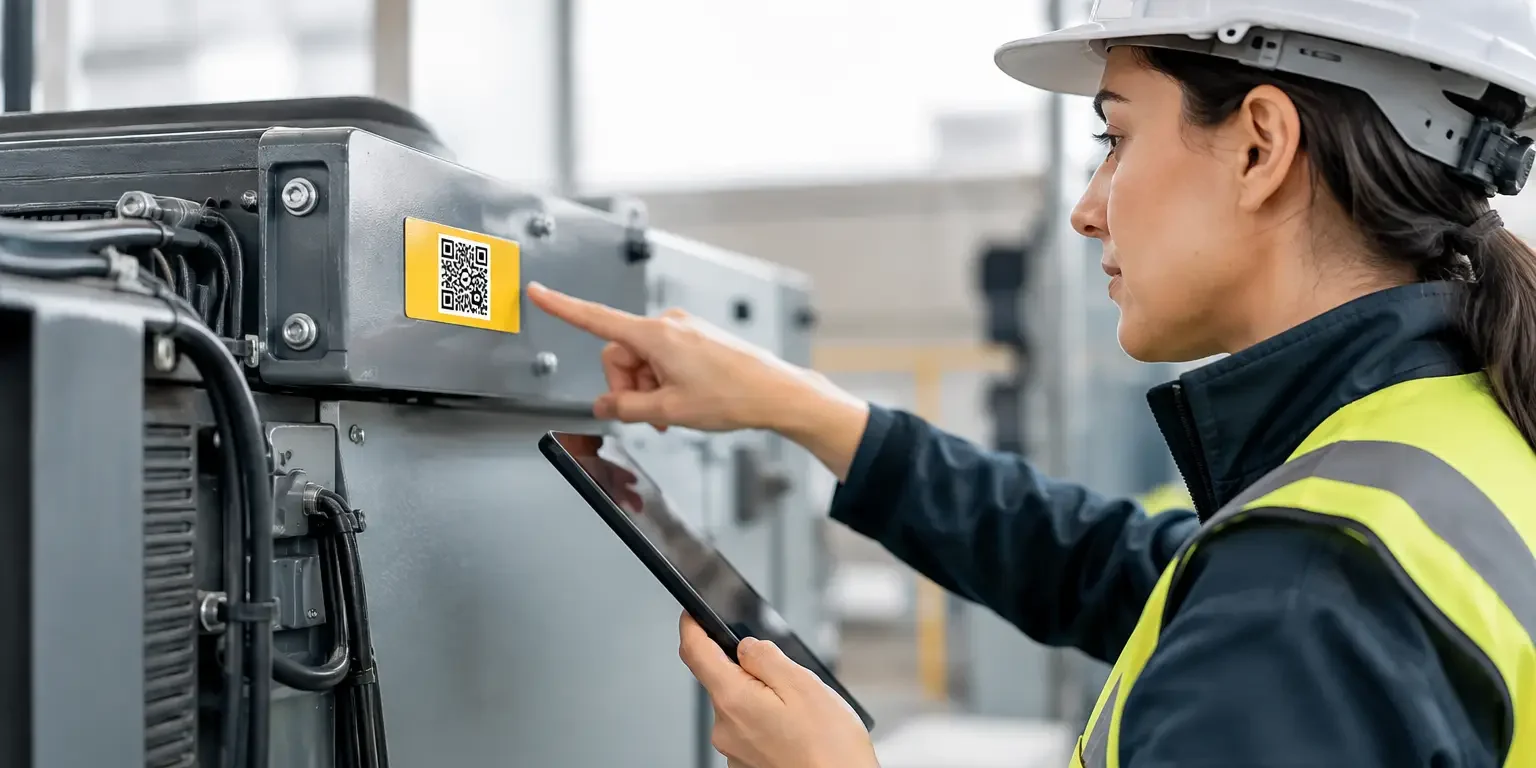
QR codes can hold more information than a standard linear barcode and are easy to scan with a smartphone or tablet. They work well where staff need to open an asset record, maintenance form or inspection page from the item itself.
However, QR codes should not be chosen simply because they are familiar. If your workflow only requires an asset number, a conventional barcode can be smaller and quicker to process with dedicated scanners. QR codes are most useful when they support a mobile-first process or need to encode a web address or more detailed data.
RFID for specific high-volume uses
RFID tags can be read without a direct line of sight and can speed up bulk checks of large numbers of items. They are valuable in specialist environments, but the hardware, software and tag cost is higher. For most small and mid-sized organisations, durable barcode asset labels deliver a better balance of cost, simplicity and control.
Match label material to the equipment and environment
Poor adhesion is one of the most common reasons equipment identification systems fail. A label that lifts at the corners, fades or breaks apart stops being useful long before the equipment reaches the end of its working life.
Standard permanent polyester labels are a reliable choice for office equipment, IT assets, furniture and indoor tools. They offer good print quality, strong adhesion and resistance to normal handling. For smooth, clean surfaces such as laptops, monitors and metal cabinets, they are generally a practical long-term option.
Equipment used outdoors, in warehouses, workshops or demanding industrial settings may need stronger material and adhesive specifications. Exposure to moisture, cleaning chemicals, heat, oil, abrasion or rough handling changes the requirement. Curved, textured, powder-coated or low-energy plastic surfaces can also affect adhesion.
Apply labels only to clean, dry surfaces. Remove dust, grease and polish first, then allow the adhesive to settle before placing the item into heavy use. Where possible, choose a flat, visible area that is unlikely to be touched constantly or obstruct ventilation, safety markings and manufacturer serial plates.
When tamper evidence matters
For high-risk or portable equipment, tamper-evident asset labels provide an additional deterrent. If someone attempts to remove the label, it can leave a visible VOID message, fragment into pieces or show another clear sign of interference.
This does not make theft impossible, and it should not replace physical security or sound issue procedures. It does make unauthorised removal more obvious and makes equipment harder to pass off as unmarked. Tamper-evident labels are particularly useful for laptops, tablets, audiovisual equipment, tools, test equipment and assets used across multiple sites.
Build the register behind the labels
A label identifies the item. The asset register supplies the context that makes the identifier useful. This may be a dedicated asset-management platform, a facilities system, an IT service desk or a carefully managed spreadsheet for smaller estates.
At minimum, each record should include the asset ID, item description, make and model, manufacturer serial number, purchase date, cost, assigned location, responsible person or department, and current status. Add warranty information, service history, PAT testing dates or disposal details where relevant to your processes.
Consistency matters more than collecting every possible field. If staff cannot keep the information current, reduce the number of mandatory fields and make ownership clear. A register that is updated when equipment is issued, moved, repaired or disposed of is more valuable than a detailed one left untouched for a year.
A practical rollout plan
A controlled rollout prevents duplicate IDs and incomplete records. Start with one department, site or asset type if your organisation has a large estate. This gives you the chance to test label size, barcode scanning, placement and staff procedures before ordering labels for every item.
Use the following sequence for a dependable first pass:
- Define the ID format and decide which assets must be labelled.
- Clean up duplicate or incomplete entries in the existing register.
- Print labels in a logical numbered order, with matching barcode data.
- Label each item while verifying its make, model, serial number and location.
- Scan or enter the ID into the register immediately, then assign responsibility.
- Carry out a sample audit after the first few weeks to identify gaps.
Do not separate labelling from data entry for too long. A pile of labelled equipment waiting to be added to the register creates an avoidable risk of mismatched records. The most accurate method is to label, scan and verify one item at a time.
Maintain the system after the initial audit
The first stocktake is only the starting point. Equipment identification needs routine checks to remain dependable, especially where items are regularly issued to staff, moved between rooms or sent off site.
Set practical triggers for updates: new equipment received, equipment issued to a user, location changes, repair returns, annual verification and disposal. Finance, IT, facilities and procurement should agree who updates which fields so that ownership does not fall between teams.
A periodic physical audit is still worthwhile even with good barcode processes. It confirms that the item is present, the label remains readable and the register reflects reality. High-value and portable assets may justify more frequent checks than desks, cabinets or fixed plant.
Security-Label.co.uk can produce bespoke asset and security labels with serial numbers, barcodes, QR codes, company branding and tamper-evident features, helping UK organisations match the label specification to the job rather than forcing equipment into a generic format.
The best equipment identification system is the one your staff can follow every day. Start with unique IDs, durable labels and a register that reflects real movement. Once those basics are in place, every scan and audit becomes quicker, clearer and easier to trust.