
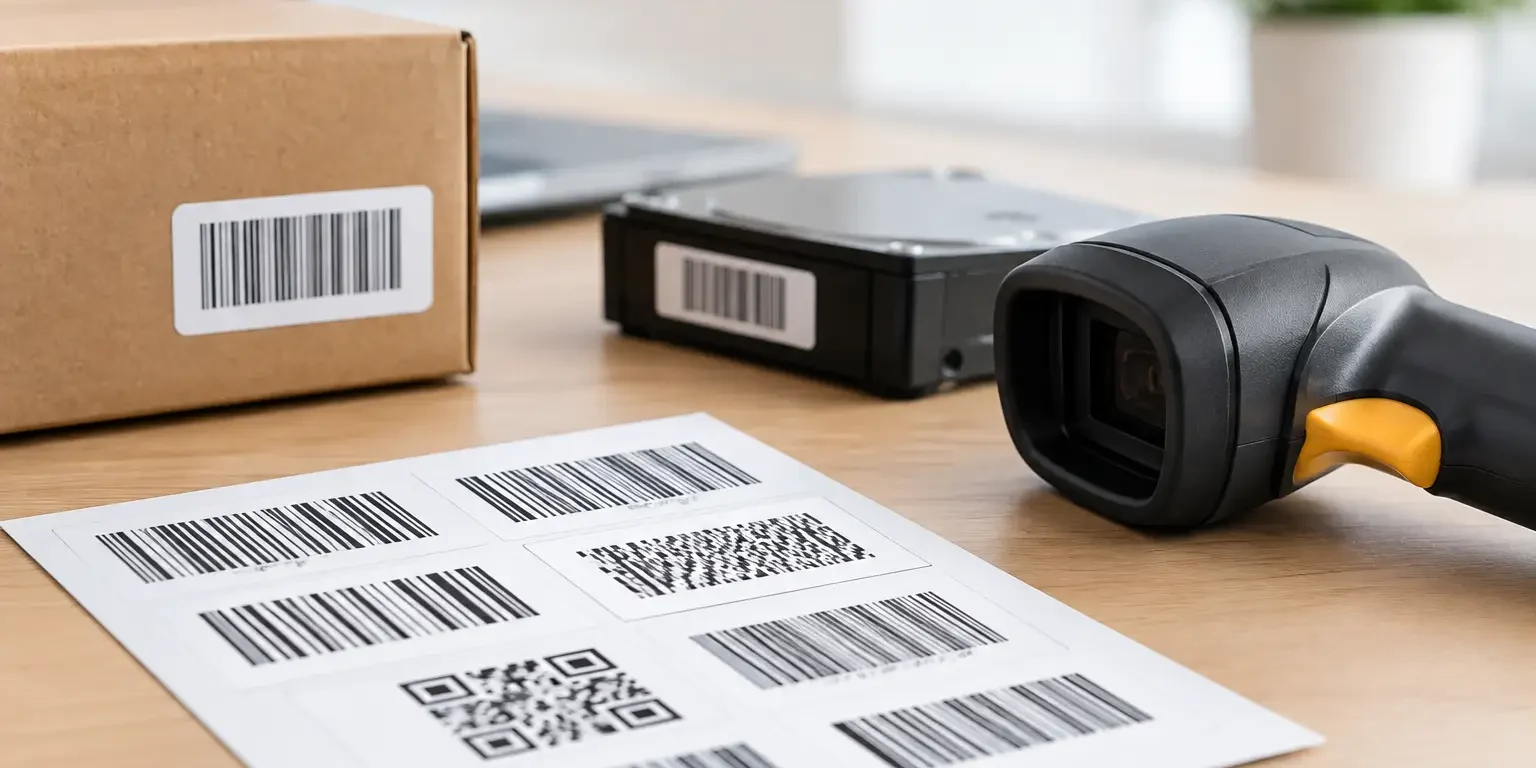
A barcode that scans perfectly on a desk can fail on a dusty server, a curved tool case or a frequently handled school laptop. This barcode symbology guide is designed to help UK organisations choose a code format that suits the data, scanner, label size and working environment – not simply the one that looks familiar.
For asset identification, the right barcode supports faster stock checks, clearer audit trails and fewer manual entry errors. The wrong one can create scanning delays, duplicate records or labels that cannot be read after a few months in service. Format, print quality and label material all need to work together.
What barcode symbology means
Barcode symbology is the set of rules used to turn characters into a machine-readable code. It determines which characters can be encoded, how much data will fit, whether a check digit is used and what type of scanner is needed.
The two main groups are one-dimensional barcodes and two-dimensional codes. A 1D barcode stores data across a row of vertical bars and spaces. It is often the most practical option for a simple asset number. A 2D code stores data both across and down, allowing more information in a smaller area. QR codes and Data Matrix are the best-known examples.
There is no universal best choice. A facilities team applying 50 mm-wide labels to desks may have very different requirements from an IT department marking compact handheld devices. Start with the system that will receive the scan data, then work back to the label.
The most useful barcode symbologies for assets
Code 128
Code 128 is a strong default for internal asset tracking. It can encode numbers, upper and lower case letters, and standard symbols, making it suitable for asset IDs such as IT-2026-004871 or location-based identifiers. It is compact for a 1D format and includes built-in error checking.
It works well where staff use conventional laser or image-based barcode scanners and where the label has enough width for a clear code and readable text. For many fixed asset registers, Code 128 offers the best balance of data flexibility, scan reliability and label space.
Its limitation is that it is still a linear barcode. If you need to place a long URL, equipment history or several data fields into a very small label, a 2D code is more appropriate.
Code 39
Code 39 remains common in asset registers, particularly where an existing database or legacy scanner setup already uses it. It supports capital letters, numbers and a limited selection of special characters. Its simple format is widely recognised and straightforward to scan.
The trade-off is label length. Code 39 is less space-efficient than Code 128, so the same asset number will generally need a wider label. It also does not support lower-case characters. If your current software is set up for Code 39, maintaining it can avoid unnecessary disruption. For a new system, Code 128 is often the more flexible choice.
EAN-13 and UPC
EAN-13 and UPC are retail product barcodes. They identify a product type rather than an individual item, so they are rarely suitable as the primary code for an asset register. Every identical monitor model may carry the same EAN, for example, while each organisation-owned monitor needs its own unique identifier.
These codes can still be useful when recording manufacturer product information alongside an internal asset number. They should not replace a unique serialised barcode for equipment tracking, loan control or audit purposes.
QR codes
QR codes are 2D codes that can hold a substantial amount of data and are easily scanned using a smartphone or a compatible 2D scanner. They are useful for asset labels when a user needs quick access to a web-based reporting form, user instructions or an internal equipment record.
A QR code can contain an asset ID alone, but its strength is flexibility. For example, a maintenance team might scan a label to open a fault-reporting page with the asset number already included. This can reduce transcription errors and speed up reporting.
However, QR codes should be specified carefully. Adding too much data makes the code denser, which can reduce reliable scanning on a small label. If the code directs users to an online record, the destination must be maintained over the life of the asset.
Data Matrix
Data Matrix is often the best 2D choice for small equipment, tools, electronics and components. It stores a high volume of data in a compact square or rectangular space and has error correction, meaning it can remain readable even if part of the code is damaged.
This makes it particularly useful where label space is tight or where a label may pick up minor scuffs during normal handling. Data Matrix requires a 2D imaging scanner or a suitable mobile device. A standard 1D laser scanner will not read it.
For small, durable asset labels, Data Matrix can be more practical than QR. QR codes are more familiar to the public, while Data Matrix is often preferred for compact industrial and technical identification.
Choosing a barcode format for your system
Before ordering labels, check what your asset management software accepts and what your scanning equipment can read. A barcode is only useful if the scanner captures it correctly and the software matches it to the right record.
For a simple internal register, a unique sequential number in Code 128 is usually dependable and economical. If you use an older system designed around Code 39, it may be sensible to retain that format. If staff need to scan labels with phones or access online records, QR may be the practical choice. Where space is restricted, Data Matrix deserves serious consideration.
Use a consistent numbering structure. Avoid assigning meaning to every character unless there is a clear operational reason. A code such as IT-LON-26-00125 may identify department, site, year and item, but it can become difficult to manage when equipment is moved or teams are reorganised. In many cases, a simple permanent asset number linked to detailed information in the register is safer.
When planning the printed layout, leave clear space around the code. This is known as the quiet zone. Do not place borders, logos or text too close to the bars or squares. Human-readable text beneath the barcode is also worthwhile, as staff can enter the number manually if a label is damaged or a scanner is unavailable.
Print quality and label material matter as much as the code
Even the correct symbology will struggle if the barcode is poorly printed, too small or distorted by the surface beneath it. Black code on a white or light background remains the most dependable option. High contrast helps scanners identify the code quickly, particularly under mixed lighting.
Consider the environment before selecting the label stock. Paper labels may be acceptable for short-term cartons or indoor files, but they are not suitable for long-life equipment identification. Polyester, vinyl and specialist tamper-evident materials are better suited to assets that are cleaned, moved or exposed to regular handling.
For security-sensitive items, a tamper-evident asset label can show visible evidence if someone attempts to remove it. This does not prevent theft by itself, but it supports deterrence, ownership marking and investigation. Security-Label.co.uk can combine barcodes, serial numbers, company branding and tamper-evident constructions in one bespoke label where required.
Curved, textured and low-energy surfaces need particular care. A label that lifts at the corners can wrinkle the barcode and cause scan failures. Testing a sample on the actual equipment is worthwhile before committing to a larger run.
A practical barcode symbology checklist
Confirm these points before approving artwork:
- The barcode value is unique and matches the format expected by your asset register.
- Your scanners can read the chosen symbology, including 2D codes where applicable.
- The label is large enough to print the code at a reliable size with clear quiet zones.
- The material and adhesive suit the asset surface, cleaning routine and expected service life.
- Printed text includes an asset number or contact detail for manual identification.
- A sample label has been scanned after application to the real asset.
It is also sensible to decide who controls the numbering sequence. Duplicate asset numbers are difficult to spot once labels have been applied across several locations. Keeping one controlled source of serial numbers protects the integrity of the register.
When a barcode alone is not enough
A barcode identifies an item when somebody scans it. It does not provide live location tracking or stop unauthorised removal. Organisations with higher-value equipment may combine barcoded asset labels with check-out procedures, secure storage, periodic audits or RFID technology.
That does not reduce the value of a well-specified label. A durable, clearly serialised barcode gives every asset a visible identity and makes routine checks faster. It also provides a practical foundation for tighter controls as your asset management process develops.
Choose the symbology your people can scan reliably, on a label that will stay attached for the life of the equipment. That simple decision makes every later stocktake, handover and audit easier to manage.