
A security label that peels away after three months, scans poorly or carries duplicate numbers creates more work than it prevents. Knowing how to order custom security labels properly means defining what the label must do before choosing its size, finish or artwork. For most organisations, the answer comes down to asset identification, theft deterrence, tamper evidence, or a combination of all three.
The right order gives your team clear, durable identification on every item and data that works with the asset register you already use. The wrong order can leave equipment untraceable, seals ineffective and replacement costs mounting. Start with the application, then specify the material, print data and quantity needed to make the labels useful in day-to-day operations.
Start with the job the label needs to do
A custom security label is not one product. An IT department marking laptops and monitors has different requirements from a facilities team sealing electrical cabinets, or a school tracking tablets and audiovisual equipment.
For straightforward asset identification, a durable polyester asset label with a company name, unique serial number and barcode is often suitable. It provides a visible ownership mark, helps with stock checks and supports an asset register. If removal needs to be obvious, choose a tamper-evident construction that breaks up, leaves a pattern behind or shows a void message when lifted.
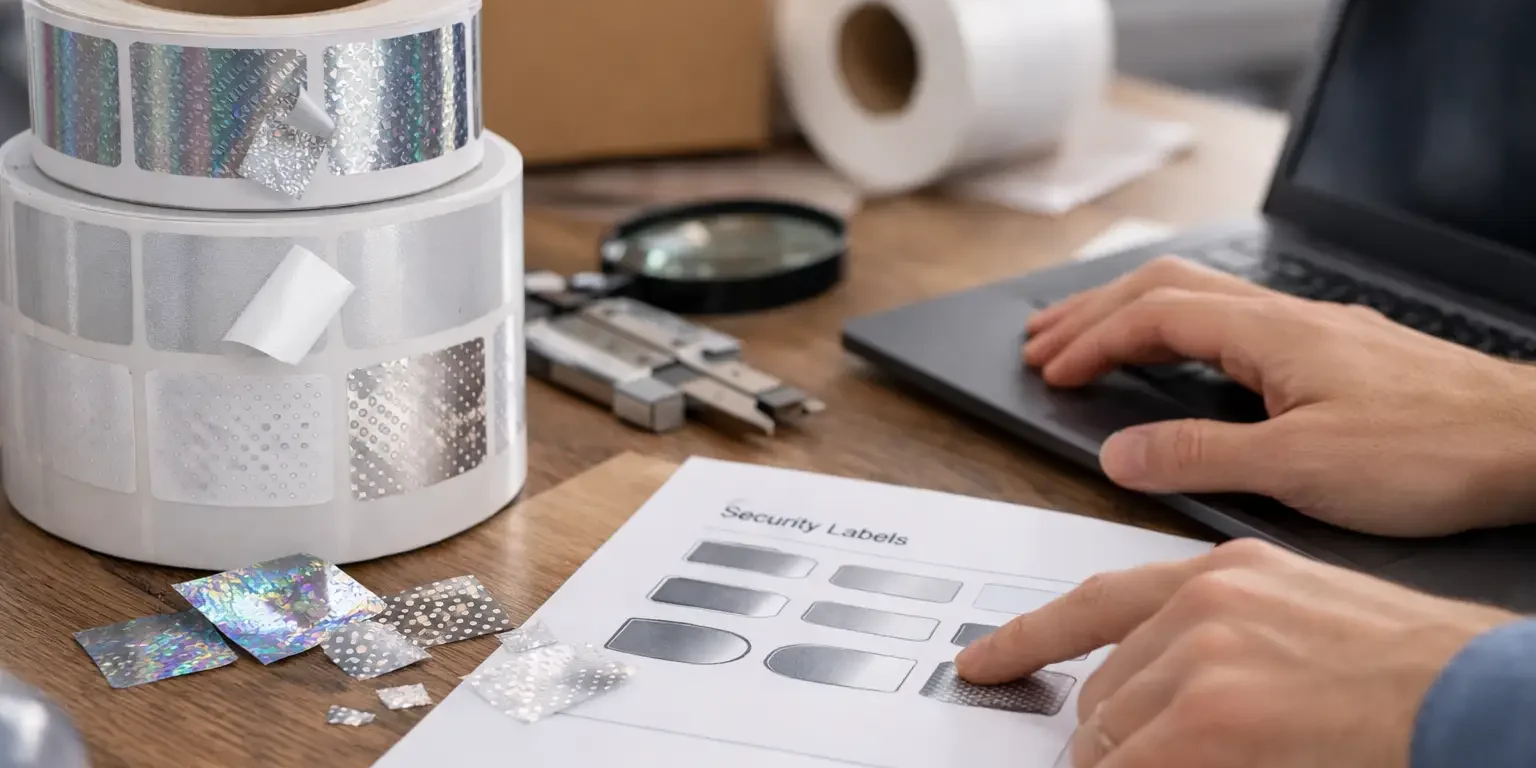
Hologram labels add a further visual deterrent where counterfeiting or unauthorised transfer is a concern. They are commonly used on higher-value equipment, warranty seals and products requiring a recognisable security feature. They should not be selected simply because they look secure: their value lies in being difficult to replicate and easy for your staff to recognise.
Consider where the item will be used. Indoor office equipment is a relatively forgiving application. Tools, plant, outdoor equipment and assets exposed to cleaning chemicals, heat, moisture or regular handling need a tougher material and adhesive. State these conditions at the quotation stage rather than assuming every label stock will perform the same way.
Decide what information must appear
The most useful labels carry only the information people need to identify, scan or return an item. Crowding too much text onto a small label makes it harder to read and can compromise barcode performance.
Most organisations include their company or department name, a short asset reference and a unique serial number. A telephone number, email address or return instruction can be worthwhile on portable equipment, particularly where recovery after loss is a priority. Some buyers also add a warning such as “Property of” or “Unauthorised removal prohibited” to strengthen the visible deterrent.
Your numbering must be planned before production. Decide whether labels should run consecutively, such as IT-000001 to IT-005000, or follow a departmental and location-based format. If several sites or teams order labels independently, agree one numbering structure first. Duplicate serial numbers are difficult to correct once labels have been applied and records have been updated.
For variable data orders, provide a clear spreadsheet showing the exact serial numbers, prefixes, suffixes and any associated descriptions. Check for leading zeroes, skipped ranges and duplicates. A serial number of 000123 must remain 000123 if that is how it appears in your asset system.
Barcode or QR code?
Barcodes and QR codes both support faster asset checks, but they serve different purposes. A conventional one-dimensional barcode is often the best choice where staff use dedicated scanners and the code only needs to identify an asset number. It is compact, quick to scan and familiar within warehouse, IT and facilities workflows.
A QR code holds more information in a smaller area and can be read by most smartphones. It may contain an asset reference, equipment details or a web address used by your internal system. The trade-off is that a QR code must be printed at a practical size with enough contrast and quiet space around it. Very small codes or glossy, curved surfaces can make scanning less reliable.
Tell the manufacturer which system you use, whether it is an asset management platform, spreadsheet or bespoke database, and how the code will be scanned. This helps determine the right barcode symbology, dimensions and human-readable text. A barcode should be tested from a production proof or sample before a large run is released.
Choose the material and tamper feature
Material selection affects adhesion, lifespan and what happens when someone tries to remove the label. It is a functional decision, not merely a visual one.
Permanent polyester labels are a dependable option for many indoor fixed assets. They offer a clean professional finish and good resistance to general handling. For equipment with textured plastic, powder-coated metal, low-energy surfaces or curved housings, the adhesive must be matched to the substrate. If possible, identify the equipment type and surface when requesting advice.
Tamper-evident labels are designed to show interference. Destructible vinyl breaks into small pieces when removal is attempted, making intact transfer difficult. Void labels leave a visible message on the item and often on the lifted label itself. The best choice depends on whether you need evidence of opening, prevention of label transfer, or both.
Keep in mind that tamper-evident labels are intended to be difficult to remove cleanly, so they are not always suitable for leased equipment, temporary assets or surfaces that may be damaged by adhesive residue. In those cases, a durable non-tamper asset label may be the more sensible choice.
Set a size that works in practice
Measure the usable flat area where the label will be applied. Do not measure the whole device if the likely application point is a narrow bezel, recessed panel or curved casing. A label that is technically small enough can still fail if it crosses a ridge, screw, ventilation slot or joint.
The size must also allow for the print content. A logo, serial number and barcode need enough room to remain legible. Reducing a barcode to fit a preferred label size is a false economy if staff cannot scan it consistently. For compact IT equipment, a smaller label with a short reference and barcode may be better than trying to fit a full address and lengthy instructions.
If brand presentation matters, supply your logo in a high-resolution vector file where available. Specify any required colours, but prioritise contrast for barcode areas. Black on white remains the most reliable option for machine reading. Metallic effects, tinted backgrounds and low-contrast designs may look attractive but can reduce scan accuracy.
Prepare artwork and approve the proof
A specialist manufacturer can create a bespoke layout from your requirements, but the approval stage remains essential. Check every part of the proof: spelling, contact details, numbering format, barcode data, logo placement, dimensions and any tamper wording.
Assign one person to approve the final proof where possible. This avoids late changes from several departments and creates a clear record of what has been authorised. For orders with sequential numbers or multiple designs, request confirmation of the starting and ending range for each version.
It is also worth considering how labels will be applied. Labels applied by a single administrator in a controlled office can be supplied in a different format from labels issued to multiple engineers across sites. Sheets may suit smaller application jobs, while rolls can be more efficient for larger volumes or repeated use. Make sure the format works with your storage space and application process.
Order the right quantity and allow for change
Order quantities should cover the current register, expected purchases, replacements and a sensible contingency. A low minimum order is useful when testing a new format or equipping a small site. Larger runs can reduce unit cost, but only if the design and numbering approach are unlikely to change before stock is used.
Avoid ordering a large batch with a location name, old telephone number or department title that may soon become outdated. Where details change frequently, keep the permanent information simple and use serialisation to connect each item to the current record in your system.
For urgent needs, explain your deadline at the outset. UK-based manufacture can reduce delivery time and make proofing questions easier to resolve, but production still depends on artwork approval, variable data checks and the complexity of the product. Security-Label.co.uk can advise on a practical specification and turnaround before work begins.
A straightforward ordering checklist
Before placing your order, confirm the asset or seal application, surface type, environmental conditions, label dimensions, required tamper feature, print wording, logo file, barcode format, serial number range, quantity and preferred supply format. These details prevent the usual causes of delay and ensure the quotation reflects the product you actually need.
Once labels arrive, apply a small test batch to representative equipment before rolling them out across the organisation. Clean and dry the application area, allow the adhesive to bond properly, then test barcode scanning and any tamper function. That short check gives you confidence before hundreds or thousands of assets are labelled.
Good security labels should make asset control easier, not introduce another administrative problem. A clear specification, accurate data and a label built for its environment will give your team a practical first line of defence against loss, confusion and unauthorised interference.