A barcode that will not scan is more than an inconvenience. It can slow down a stock check, create gaps in an asset register and leave staff typing serial numbers by hand. Knowing how to print barcode labels properly means starting with the information your system needs, then matching the code, material and print method to the environment where the label will be used.
For office furniture or IT equipment, a clear, durable barcode label can make routine audits quicker and improve accountability. For tools, warehouse equipment or assets exposed to handling, moisture and cleaning products, the label must also remain firmly attached and readable over time. The best specification is not necessarily the most expensive one. It is the one that scans reliably for the expected life of the asset.
Start with the data, not the label design
Before choosing a barcode format or printer, decide what each label needs to identify. In most asset-management applications, the barcode represents a unique asset number rather than a full description of the item. The scanner reads that number, and your asset register or inventory software uses it to retrieve the record.
Keep the numbering system simple and consistent. An identifier such as IT-000245 may tell your team which department issued the number, while a plain six-digit sequence may suit a smaller operation. Either approach can work, provided every number is unique and your system accepts the characters used.
Avoid creating numbers manually at the point of printing unless there is a controlled process in place. Duplicated numbers create confusion that is often only discovered during an audit. If you are printing a batch, check the first and last serial number, the increment pattern and any prefixes before approving production.
The human-readable number printed beneath the barcode is also worth retaining. A scanner may be unavailable, a label may become partly damaged, or an auditor may need to confirm an item visually. The text provides a practical fallback without replacing the barcode itself.
Choose the barcode type your system supports
The barcode symbology must be compatible with the software and scanners already in use. There is no benefit in selecting a more complex code if your handheld scanner or asset platform cannot read it.
One-dimensional barcodes for straightforward asset IDs
Code 128 is widely used for asset labels because it can encode letters, numbers and common symbols in a compact linear barcode. It is a practical choice for serial numbers, internal reference codes and many equipment registers. Code 39 is another familiar option, particularly in older systems, but it generally needs more space for the same data.
EAN and UPC barcodes are designed mainly for retail product identification. They can be appropriate where a business is labelling goods for sale, but they are not normally the first choice for internally managed fixed assets.
QR codes and Data Matrix codes for more information
Two-dimensional codes can store considerably more information in a smaller area. A QR code may point to an asset record, maintenance form or internal web address. A Data Matrix code is often useful where space is limited, such as on smaller devices, components or tools.
However, more capacity does not remove the need for good print quality. Small 2D codes need sufficient module size, contrast and scanner compatibility. If staff use older laser scanners that only read linear barcodes, introducing QR codes will create a problem rather than solve one. Confirm the equipment first.
Set the right label size and layout
Barcode labels need a clear area around the code, known as the quiet zone. This blank space allows the scanner to distinguish the barcode from surrounding text, borders and graphics. Do not crowd the barcode with a company logo, asset description or decorative design.
As a general rule, make the barcode as large as the available label space reasonably allows. Very narrow bars, compressed codes and tiny QR modules are less tolerant of print variation, scratches and scanner angle. If a label has to be small, reduce the amount of encoded data before reducing the barcode beyond a readable size.
For most assets, the label should include the barcode, a matching readable number and a short identifier such as “Property of [Organisation]” or an asset category. A logo can deter casual removal and make ownership immediately visible, but it should not compromise the scan area. Where theft prevention matters, a tamper-evident material can provide a visible indication that a label has been removed or interfered with.
Select a printing method that suits the quantity
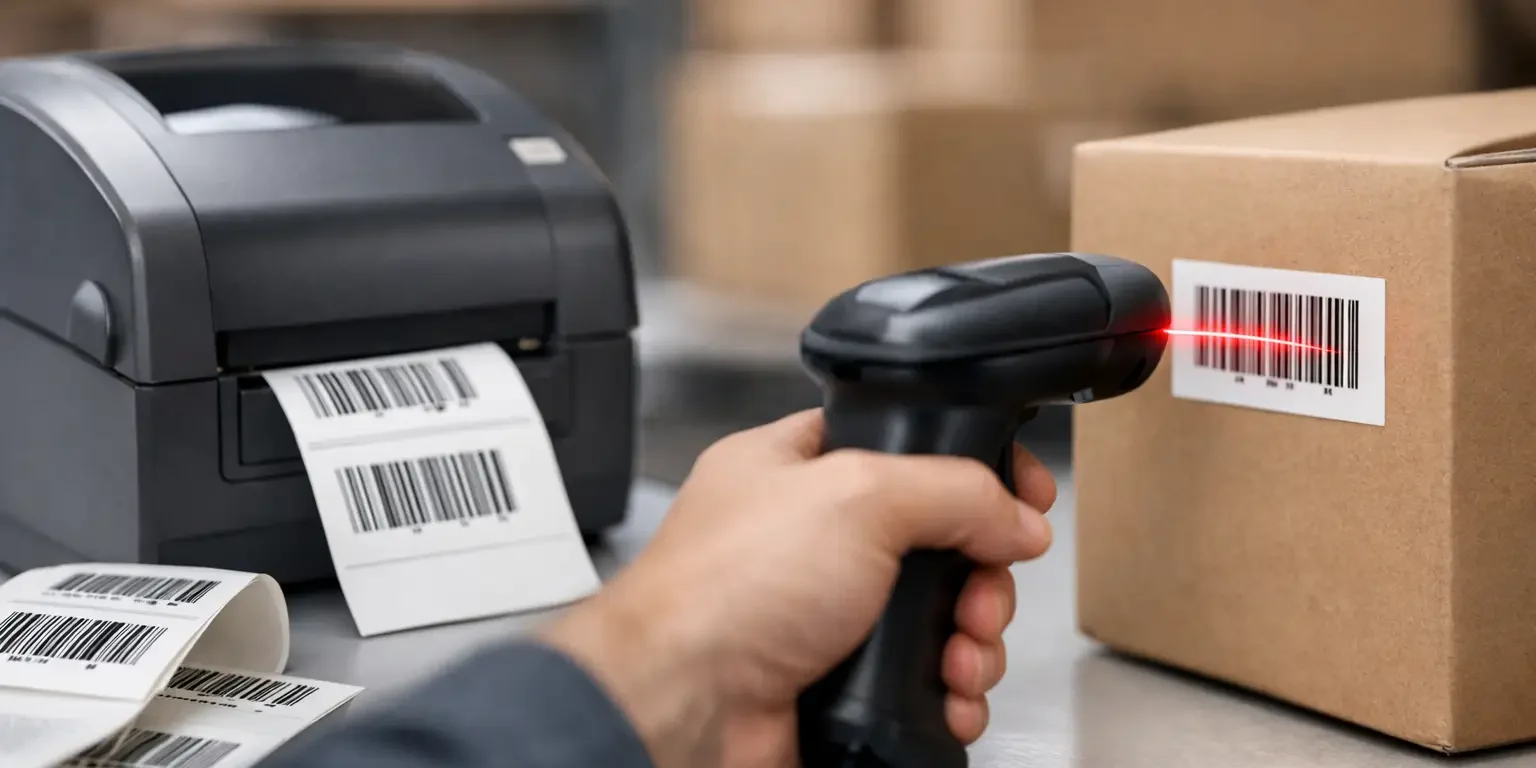
Desktop thermal transfer printers are useful when you need labels on demand, such as replacement labels or small, regularly changing batches. They use a ribbon to transfer resin or wax-resin ink to the label surface. For durable asset marking, a resin ribbon with a suitable synthetic label stock generally offers better resistance than basic direct thermal labels.
Direct thermal printing is convenient for short-life uses such as dispatch labels or temporary stock movements. The image can fade with heat, sunlight and abrasion, so it is rarely the right choice for fixed assets that need to remain identifiable for years.
For larger batches, professionally printed barcode labels are often more economical and consistent. This is especially true when labels require consecutive numbering, bespoke dimensions, strong adhesive, security features or a custom layout. A specialist manufacturer can check barcode sizing, print contrast and material suitability before production, reducing the risk of receiving a batch that looks acceptable but performs poorly in use.
Match the material and adhesive to the asset
The surface and environment matter as much as the printed barcode. A label that scans perfectly when first applied is of little value if it lifts from a laptop, curls at the corners of a plastic case or becomes unreadable after cleaning.
Paper labels can be suitable for indoor, low-contact applications, but synthetic polyester or vinyl materials are usually a better choice for equipment and long-term identification. Polyester labels are commonly selected for IT assets, office equipment and machinery because they offer good durability and a professional finish.
Consider the surface before ordering. Textured plastic, powder-coated metal, curved equipment and oily surfaces can all affect adhesion. Clean and dry the application area first, removing dust, grease and polish. Labels generally reach their best bond after a period of time, so avoid applying them immediately before heavy use or storage in difficult conditions.
For higher-risk assets, tamper-evident labels add another level of control. Void materials leave a visible message on the item or label face when removed, while destructible materials break apart during attempted removal. The right option depends on whether you need evidence of interference, a strong deterrent or both.
Print barcode labels with the correct settings
If you are using your own printer, start with the printer manufacturer’s recommended settings for the label material and ribbon. Darkness, speed and print resolution all affect barcode quality. Printing too fast or too lightly can leave broken bars and pale areas; excessive heat can make bars spread and close the gaps that scanners need to read.
Use a resolution appropriate to the code size. Standard 203 dpi thermal printers can produce many common asset barcodes successfully, but smaller codes and detailed 2D symbols may benefit from 300 dpi. The practical limit depends on the barcode dimensions, not simply the printer specification.
Do not resize a barcode image arbitrarily in Word, PowerPoint or a general graphics package. Stretching it horizontally or vertically can alter the bar widths and make it unreadable. Generate the barcode using approved label software or a controlled template, then keep its proportions intact.
Test a sample before printing the full batch
A visual check is useful, but it is not enough. Scan the first labels using the same scanner, mobile device or asset-management process that staff will use day to day. Test several labels across the sheet or roll, particularly if you are printing in-house, as print quality can vary with ribbon position, printhead condition and media alignment.
Check that each scan returns the exact expected value. A barcode that scans to the wrong serial number is more serious than one that fails to scan because it can create an inaccurate audit trail without an obvious warning.
Also test the label after it has been applied to a representative asset. Curved surfaces can distort a label, and glossy or metallic backgrounds may affect some scanner arrangements. If the equipment will be cleaned regularly or used outdoors, test a sample under realistic conditions before committing to the complete order.
Common barcode label problems and their causes
Poor contrast is a frequent issue. Black bars on a clean white or pale background give scanners the strongest contrast. Dark colours, metallic finishes and busy printed backgrounds may look attractive but can make scanning less dependable.
Another common problem is a dirty or worn thermal printhead. White lines through the barcode, inconsistent density or missing elements are signs that the printer needs cleaning or maintenance. Ribbon wrinkles and incorrect media calibration can cause similar faults.
Finally, do not overlook the scanner settings. Some scanners are configured to read only selected symbologies. If a newly printed Code 128 label will not scan but an older Code 39 label does, the printer may not be at fault. Confirm that the scanner has been enabled for the barcode format you have chosen.
A well-specified label turns an asset number into a reliable working control. When the data, code, print method and material are chosen together, staff can scan equipment quickly, auditors can trace it with confidence and the label continues doing its job long after it has been applied.