A scanner can only return useful information if it can read the label in front of it. Asset scanning apps make stocktakes, equipment checks and asset handovers much quicker, but they do not correct unclear codes, duplicate numbers or labels that have peeled away after six months. The physical label remains the starting point of a dependable asset tracking process.
For UK organisations managing IT equipment, tools, school resources, medical devices, furniture or facilities equipment, the aim is straightforward: attach an identifier that stays with the asset and can be scanned reliably when needed. Getting that right reduces manual entry, improves audit accuracy and gives staff a practical way to keep the asset register current.
How asset scanning apps use labels
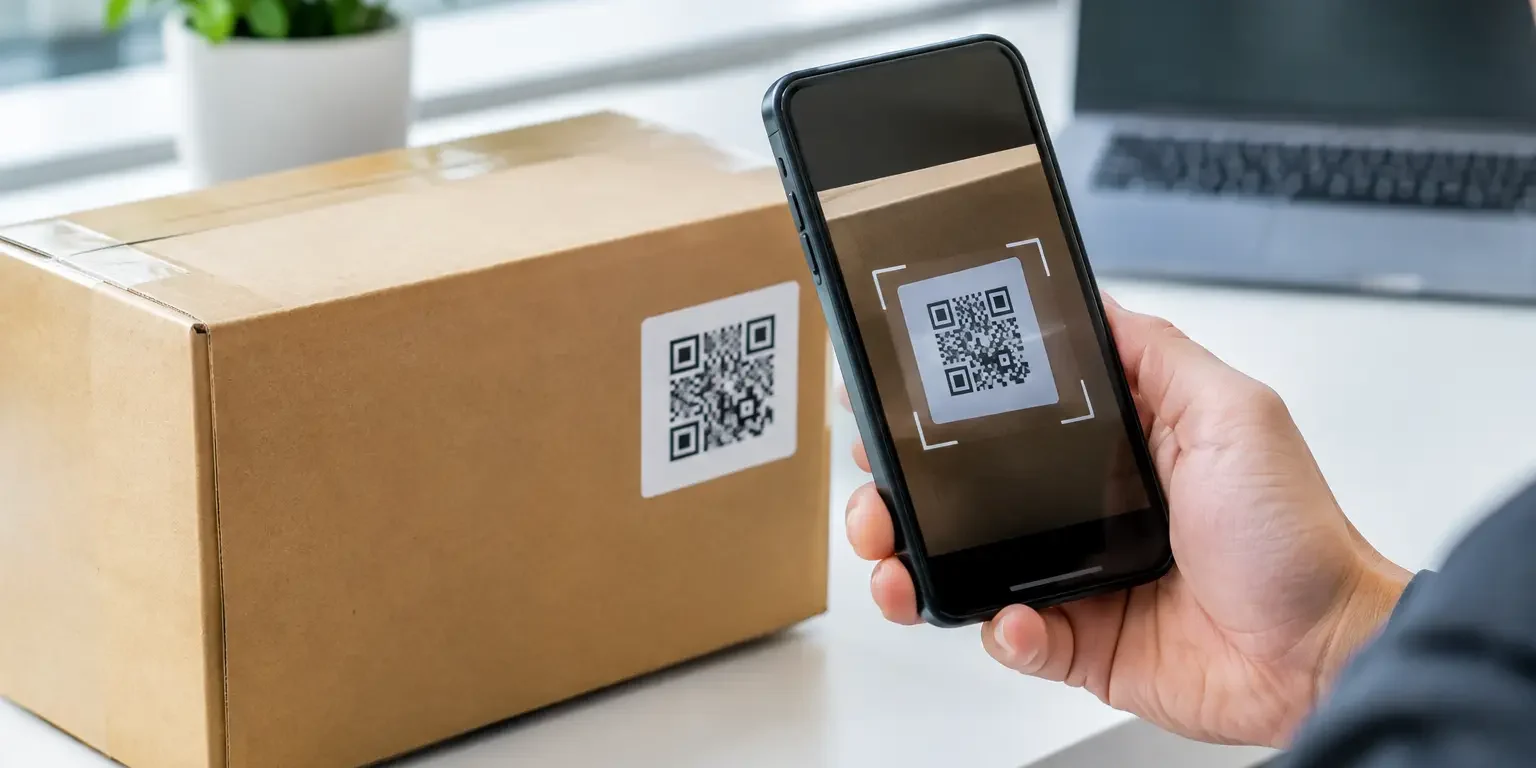
Most asset scanning apps use a phone or tablet camera to read a barcode or QR code. The scanned value is then matched to a record in the organisation’s asset register. Depending on the system, the user may see the item description, serial number, assigned person, location, purchase details, service history or status.
The app itself may be part of dedicated asset management software, a facilities platform, an IT service management system or a simpler spreadsheet-based process. That difference matters. Some systems expect a unique barcode number only; others use QR codes to open a web address or display a detailed record. Before ordering labels, establish exactly what data the app reads and what format it accepts.
A label should support the process you actually use, rather than forcing a process around the label. If staff scan items during annual verification, a compact barcode label may be ideal. If engineers need immediate access to instructions, inspection records or a reporting page, a QR code can be more useful. In both cases, clear human-readable text provides a valuable fallback when a camera, network connection or software account is unavailable.
Choose the right code for the job
Linear barcodes for controlled asset registers
Linear, or one-dimensional, barcodes are widely used for asset identification. Common formats include Code 128 and Code 39. They are a sound choice where each label represents a short, unique asset number and the scanning app is configured to recognise that number.
Code 128 is compact and can encode letters, numbers and other characters, making it suitable for many internal numbering systems. Code 39 is familiar in industrial settings but can require more space for the same amount of data. The best choice depends on the software and the label size available, not simply on what looks most familiar.
For a laptop, projector or piece of plant, the barcode may contain an identifier such as IT-004821. The printed text beneath it should repeat that identifier. Staff can then check the number visually, even if the code is damaged or a scan fails.
QR codes where more information is needed
QR codes hold more data in a smaller space and are designed for camera-based scanning. They work particularly well with mobile asset scanning apps because most modern phones read them without additional hardware.
However, QR is not automatically the better option. Dense QR codes can become difficult to read if printed too small, damaged by abrasion or placed on a curved surface. A QR code that directs users to an online record also relies on the destination being maintained. If a system changes, an old printed web address can become a dead end.
Use QR codes where the additional function is worthwhile: linking to a check-in form, maintenance log, user guide or asset record. For a basic internal register, a serialised barcode is often simpler and easier to manage.
Label quality affects scan rates
A code can be correctly generated yet still fail in day-to-day use. Print quality, contrast, label material and placement all affect whether asset scanning apps can read a code first time.
Black codes on a clean white or light background remain the most dependable option for general-purpose scanning. Avoid placing codes over coloured graphics, metallic effects or busy backgrounds unless the design has been tested. Holographic elements are excellent for visual authentication and deterrence, but the barcode area should remain high contrast and free from reflective interference.
Size also matters. Small labels suit compact electronics, but reducing a barcode too far narrows the margin for camera focus, print variation and wear. Leave sufficient blank space around the code – known as the quiet zone – so the app can distinguish it from surrounding text and borders. If space is limited, shorten the encoded value where possible rather than squeezing a long code into an unsuitable area.
Durability is equally important. Paper labels can be appropriate for short-term internal uses, but equipment labels commonly need a more durable construction. Polyester asset labels offer strong resistance to handling, while tamper-evident materials show a visible message, pattern or destructive effect when removal is attempted. The right material depends on the surface, expected environment and security requirement.
An asset label on a clean office desktop has very different demands from one on a warehouse trolley, a field tool or equipment exposed to cleaning products. Adhesive performance should be considered early, particularly for textured plastics, powder-coated metal, low-energy surfaces and uneven equipment housings.
Build a labelling standard before ordering
A simple internal standard prevents many tracking problems. It should specify how asset IDs are created, where labels are placed and which information is printed. Without this, different departments can order labels with conflicting formats or apply them in locations that are difficult to scan.
A useful standard normally covers the asset prefix, sequential numbering rules, barcode symbology, label dimensions, human-readable text and placement guidance. It should also say whether labels are allocated before or after assets arrive. Pre-printed sequential labels can be efficient for planned deployments, while labels printed with known serial numbers may suit more controlled registration processes.
Keep identifiers unique and permanent. Reusing the number from a disposed laptop for a new laptop may appear tidy, but it can confuse audit trails, insurance records and historical maintenance data. A retired asset can be marked as disposed in the system while its identifier remains part of the record.
For organisations with several sites, a location or department prefix may help staff understand the item at a glance. Do not overload the code with information that is likely to change, though. A label reading FIN-LON-001 may become misleading when the item moves to another office. The database should hold changing details; the label should provide the stable identity.
Placement is a security and usability decision
The best label location is visible enough for routine scanning but not so exposed that it is quickly scuffed or easily removed. On laptops and monitors, a flat, accessible area away from vents, ports and regulatory markings is usually sensible. On tools and machinery, choose a clean surface that is not subject to constant abrasion, heat or bending.
Avoid placing labels over manufacturer serial numbers, safety warnings or service access panels. These markings may be needed for warranty, compliance or repair. It is also worth taking account of how staff carry out audits. A label underneath a heavy cabinet or behind a fixed screen may survive perfectly but offer little value if nobody can scan it without moving the asset.
Tamper-evident asset labels add another consideration. They are intended to discourage removal and reveal interference, so apply them to a surface where a replacement label would be noticeable. A void label or destructible material can support theft deterrence, but it should complement physical security and a maintained asset register rather than replace them.
Test your labels with the real app and real equipment
Before committing to a large run, test samples using the same devices, lighting and app settings that staff will use. Scan labels on the smallest and largest assets, check them at typical viewing angles and test a few after normal handling or cleaning. This is especially worthwhile for very small codes, coloured designs, curved surfaces and tamper-evident materials.
Test the full workflow as well. Can a member of staff scan the code, find the correct record, update the location and complete the task without typing? Do duplicate scans create duplicate records? Is there a clear process for assets with damaged labels? These questions often reveal process issues that software alone cannot solve.
Security-Label.co.uk can produce bespoke barcode, QR code, serialised and tamper-evident labels, allowing the layout and material to match the equipment and scanning process rather than relying on a generic format.
Keep the register and labels working together
Asset scanning is most effective when it becomes a routine part of issuing, moving, servicing and disposing of equipment. Scanning an item when it is handed to an employee is more reliable than trying to reconstruct ownership during an annual audit. The same applies to returns, repairs and site moves.
When a label is damaged, replace it promptly and retain the same asset ID where possible. If an asset is relabelled with a new identifier, record the change clearly in the register to preserve the audit trail. A small supply of replacement labels and a defined procedure can prevent minor damage turning into missing asset data.
The right app can speed up every check, but it is the label that connects the screen to the physical item. Specify it carefully, test it in real conditions and choose a material that will still scan when the next audit comes around.