A missing laptop is rarely just a missing laptop. It can delay a new starter, expose business data, create an insurance query and leave the finance team trying to reconcile an asset that nobody can locate. Knowing how to track office equipment properly gives every item a clear identity, an accountable owner and a reliable place in your asset register.
The most effective approach is not necessarily the most complicated. For many UK organisations, a durable asset label, a consistent numbering system and a disciplined check-in process will solve the majority of tracking problems. The right level of technology depends on the value, volume, mobility and security risk of the equipment you manage.
Start with a complete asset register
Before applying labels or choosing scanning software, establish what equipment you have. Walk through each location and record every item that the organisation owns, leases or is responsible for maintaining. Include obvious assets such as laptops, monitors, printers and mobile phones, but do not overlook projectors, power tools, radios, tablets, network equipment, furniture and specialist kit.
Each record needs enough information to identify the item without relying on memory. At a minimum, record the asset number, item description, make and model, manufacturer serial number, purchase date, cost, assigned user, department, usual location and current condition. You may also need warranty details, lease information, insurance values or maintenance dates.
This first count takes time, particularly where equipment has moved between departments without being recorded. It is still worthwhile. An incomplete register creates false confidence: it may show who has been assigned an item, but it cannot tell you what was missed in the first place.
Give every asset one unique number
Your own asset number should be separate from the manufacturer’s serial number. Manufacturer numbers are often long, inconsistent and placed where they are difficult to scan. Create a simple unique identifier for every asset, such as IT-000245 or FAC-001078. The prefix can show the asset category or department, but avoid a code that tries to describe everything about the item.
A permanent number matters because people, locations and equipment uses change. The asset identifier should remain the same from purchase through disposal. If a laptop moves from sales to finance, its record is updated, while the identity on the label remains fixed.
Choose the right way to track office equipment
A spreadsheet can be suitable for a small office with a limited number of fixed assets and one person responsible for updates. It is affordable and straightforward, but it relies on controlled editing and regular checks. Once several teams are moving equipment, a shared spreadsheet can quickly develop duplicate entries, missing handovers and uncertain version control.
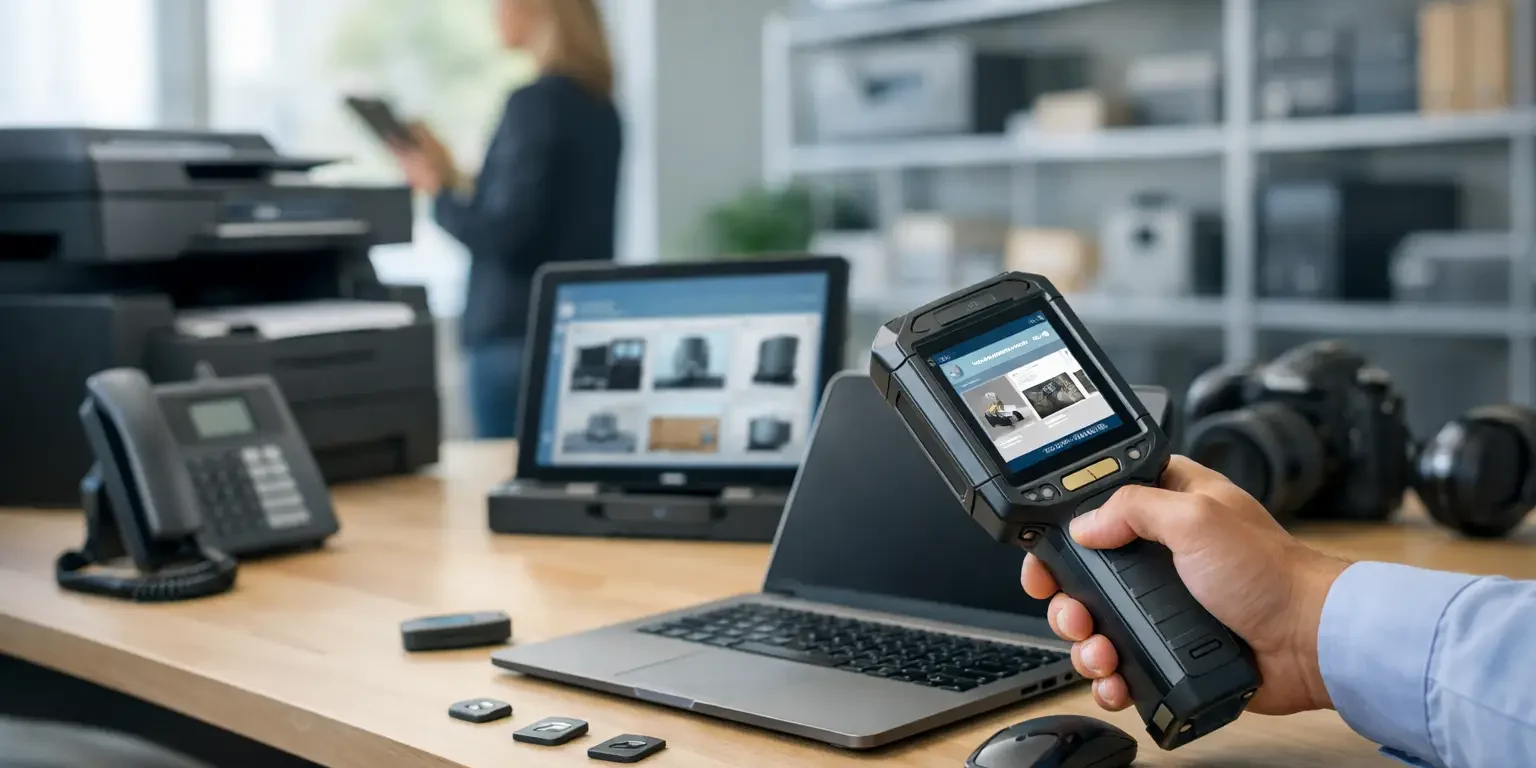
Dedicated asset management software is a better fit where you manage larger quantities, remote workers, multiple sites or regular loan equipment. It can record assignments, maintenance history and audit dates, while barcode scanning reduces manual entry. The system does not need to be expensive or elaborate. The key requirement is that staff can update it as part of their normal process.
For high-risk assets, consider combining identification with a security measure. Tamper-evident labels leave a visible mark, pattern or material residue when removal is attempted. They are useful on laptops, IT hardware, tools and equipment that may be resold or moved without permission. They will not physically stop theft, but they make unauthorised removal more apparent and make an item less attractive to dispose of.
Use labels that remain readable in service
An asset register only works when the physical item can be matched to its record. Paper stickers, handwritten tape and generic labels often fail on equipment exposed to handling, cleaning, heat or textured surfaces. Once a label lifts, fades or loses its barcode, staff revert to searching by description or serial number, and the process slows down.
A purpose-made asset label should carry the asset number in clear human-readable text and, where appropriate, a barcode or QR code. A company name, telephone number or return message can support recovery, while a logo makes ownership immediately recognisable. For equipment that requires a stronger deterrent, a tamper-evident construction is usually the sensible choice.
Material selection should reflect the surface and environment. Smooth office equipment generally accepts permanent polyester labels well. Rough, curved, low-energy plastic or frequently cleaned surfaces may need a more specific adhesive. Very small devices may need a compact barcode format and carefully controlled print size. It is worth testing a sample on the actual equipment rather than selecting by price alone.
Security-Label.co.uk produces bespoke asset and security labels in the UK, including serialised, barcode and tamper-evident options, so organisations can match the label to the item and working conditions rather than settling for a generic sticker.
Barcode or QR code?
A barcode is often the practical default for office asset tracking. It is fast to scan, works with common handheld scanners and can contain a short asset reference that retrieves the full record from your spreadsheet or software. Code 128 is widely used because it can represent letters and numbers efficiently.
QR codes hold more information in a small area and can be scanned by many smartphone cameras. They are useful where staff need to open an equipment record, handover form or support instruction from a mobile device. However, a QR code should not replace a visible asset number. If a camera will not scan because the label is scratched or poorly lit, the printed number still lets staff find the item manually.
Do not put sensitive information directly into a QR code or barcode. The label should point to an asset ID, not reveal passwords, network details, user data or security-sensitive locations.
Make assignment and movement part of the process
Labels identify equipment, but procedures create accountability. Every time an item is issued, moved, loaned, sent for repair or returned, update the asset record. The simplest method is often a short handover form, either on paper or digitally, recording the asset number, recipient, date, condition and expected return date where relevant.
This matters particularly for portable equipment. A monitor that stays at one desk may only need checking during an annual audit. A laptop, tablet, camera or tool that travels between homes, sites and vehicles needs a stronger chain of custody. Ask the person receiving it to confirm that they accept responsibility and understand the return process.
Equipment pools need the same discipline. A locked cupboard full of unassigned devices is not a tracking system unless there is a current record of what is inside, who removed an item and when it is due back. A barcode scan at issue and return makes this quick, but even a controlled sign-out record is better than relying on verbal agreement.
Audit on a planned cycle
Tracking fails when the register is updated only after something disappears. Set an audit cycle based on risk. High-value and portable assets may need quarterly checks, while fixed office furniture and low-risk equipment may be checked annually. New equipment should be labelled and entered into the register before it is issued, not when someone remembers later.
During an audit, scan or confirm the label on each item, compare its actual location and user against the register, and investigate differences promptly. Marking an item as “not found” without follow-up merely records the problem. Check recent moves, repair records, leavers’ equipment returns and storage areas before treating it as a loss.
Audits also reveal weak points in the process. If labels are repeatedly damaged, the material or placement may be wrong. If certain departments have incomplete records, the handover process may be too difficult or ownership may be unclear. Correcting the cause is more valuable than repeatedly cleaning up the same discrepancies.
Define ownership, disposal and exceptions
Someone must own the register. In a small business, this may be an office manager or IT lead. In a larger organisation, IT, facilities and finance may share responsibilities, but one named role should control record standards and audit reporting. Without this, updates tend to sit in inboxes or depend on informal knowledge.
Set clear rules for equipment that is broken, replaced or disposed of. Do not simply delete the record. Record the disposal date, method, approval and, where appropriate, data-wiping confirmation. Retaining this history helps with audit evidence, insurance claims and replacement planning.
Allow for exceptions as well. Some low-cost items may not justify individual labels, while regulated, sensitive or high-value equipment may require more frequent verification and tamper evidence. The aim is proportionate control: enough detail to protect the organisation without creating a process staff avoid.
A well-labelled asset and an up-to-date record make day-to-day administration easier, but their real value appears when a device changes hands, an audit begins or an item cannot be found. Start with the equipment that is most mobile or costly, establish the habit of recording movement, and build from there.